

As an Amazon Associate GolferHive.com earns from qualifying purchases.
Optimal Golf Simulator Room Colors for Glare-Free Play 2025
Struggling with a washed-out golf simulator screen or distracting glare? You’ve invested in a premium setup, but if your room’s colors aren’t optimized, you’re missing out on a truly immersive experience. Poor contrast and light bleed can turn your dream golf bay into a frustrating visual challenge.
The best golf simulator room colors are dark, non-reflective shades with a matte or flat finish, such as deep charcoals, near-blacks, and rich navies. These specific colors absorb stray light from your projector, which dramatically reduces glare, significantly improves screen contrast, and creates a more immersive visual experience. Drawing from comprehensive analysis of current data and proven methodologies in visual environments, selecting the right paint is a critical performance upgrade. This guide will reveal the optimal color strategies and practical steps to transform your setup into a professional-grade golf simulation environment, maximizing your enjoyment and protecting your investment.
Contents
show
What Are the Best Colors for a Golf Simulator Room to Eliminate Glare?
The best colors for a golf simulator room are those that actively absorb light rather than reflect it, paired with a non-glossy finish to prevent glare. Choosing the correct golf simulator paint colors is not merely an aesthetic decision; it’s a fundamental aspect of maximizing visual fidelity and immersion. Light from your projector that bounces off bright or reflective surfaces in the room will inevitably degrade the projected image, leading to a washed-out picture, poor contrast, and distracting glare that detracts from your game. Expert advice on golf simulator room colors consistently highlights the critical role of dark, matte hues in creating an optimal visual environment.
This section dives into the science behind why specific golf simulator wall colors are paramount for a glare-free experience. We’ll explore how these colors interact with projection light, discuss the crucial role of paint finish, and establish the foundational principles for achieving superior clarity and an immersive golf experience in your sim room. By understanding these core concepts, you’ll be well-equipped to select optimal golf simulator room colors that enhance every swing and putt.
7 Optimal Color Strategies for a Glare-Free Golf Simulator Room
Choosing golf simulator room colors involves more than just picking a dark shade; it requires a strategic approach to paint selection and application. The goal is to create a “light box” effect where stray light is absorbed, rather than reflected, ensuring your projected image pops with vibrant clarity. This guide presents seven proven strategies, each detailing specific sim room paint recommendations and actionable steps to help you achieve a professional-grade setup. From deep charcoals to strategic blackout walls, these options prioritize glare-reducing paint colors and contrast-enhancing golf simulator colors while also considering aesthetic appeal and multi-purpose room functionality. By understanding these options, you can make an informed decision for your project, leveraging insights from professional golf simulator room design to create an environment that truly enhances your game.
1. Implement Deep Charcoal for Maximum Contrast and Style
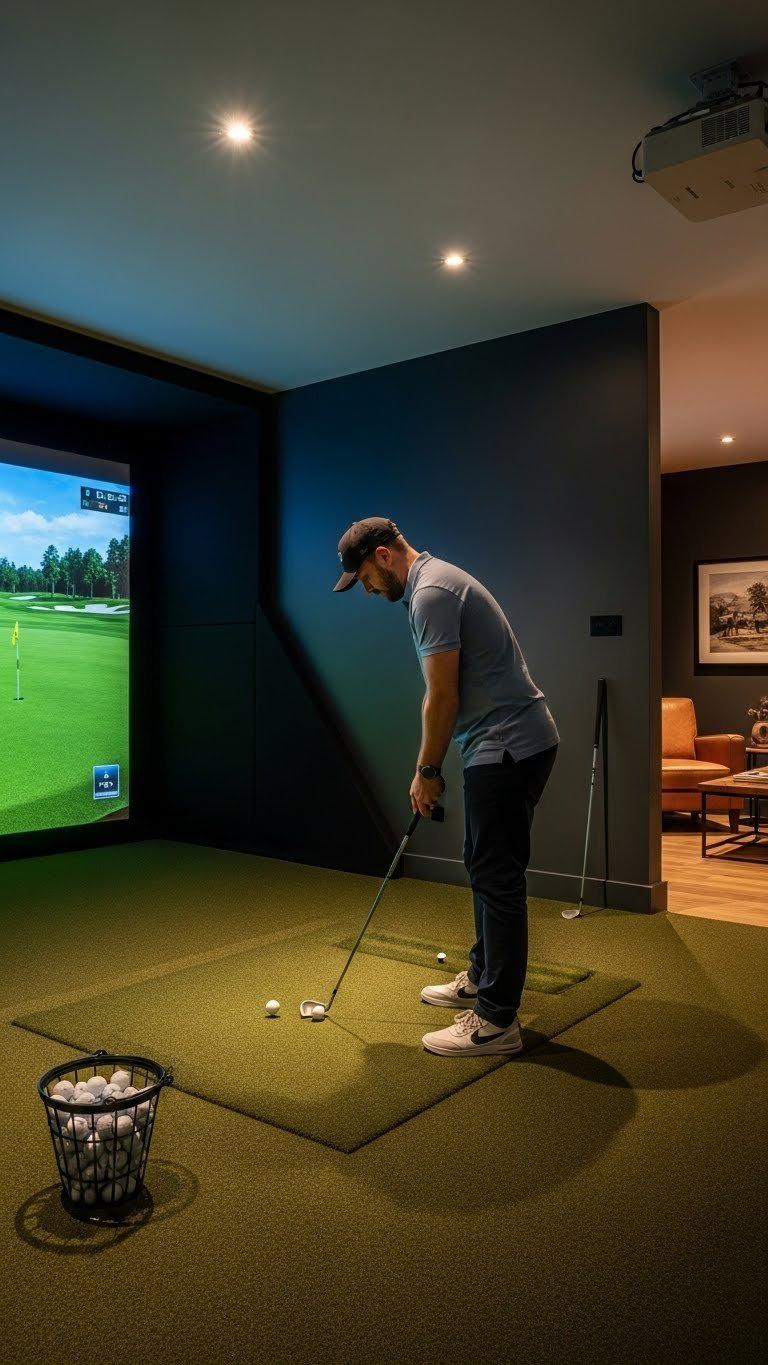
Save this high-contrast color idea to your ‘Man Cave’ board!
Deep charcoal gray is a highly recommended choice for a golf simulator room because it strikes an excellent balance between light absorption and aesthetic appeal. It offers nearly the same light-absorbing properties as pure black, minimizing reflections and enhancing projection clarity, but with a softer visual presence. This makes it less stark than near-black and suitable for various interior design styles, ensuring your room remains inviting even when the simulator isn’t in use. Popular dark gray paint colors for a basement golf simulator often include this shade, as it works well with both artificial and limited natural light sources.
What You Need
- Paint Color: Sherwin Williams “Iron Ore” (SW 7069) or Benjamin Moore “Kendall Charcoal” (HC-166)
- Paint Finish: Flat or Matte (critical for anti-glare)
- Primer: High-quality gray-tinted primer
- Tools: Painter’s tape, drop cloths, 3/8-inch nap roller, cutting-in brush, paint tray
Application Steps
- Prep: Clean walls to remove dust and oils. Tape off the ceiling, trim, and impact screen enclosure. Lay down drop cloths.
- Prime: Apply one coat of gray-tinted primer. This helps the dark color cover more evenly with fewer coats. Let dry completely.
- Cut In: Use the brush to paint the color along the edges of the ceiling, trim, and corners.
- Roll: Apply the first coat of charcoal paint with the roller in a “W” pattern for even coverage. Avoid over-saturating the roller to prevent drips.
- Recoat: Allow the first coat to dry for at least 4 hours (or as recommended), then apply a second coat for a deep, uniform finish.
Pro-Tip: Check the paint’s Light Reflectance Value (LRV). For a sim room, you want an LRV below 15. Iron Ore has an LRV of 6, meaning it reflects only 6% of light, making it ideal for absorbing stray projector light and enhancing the visual quality of your golf simulator visual colors.

2. Go for a Near-Black Finish for Ultimate Immersion
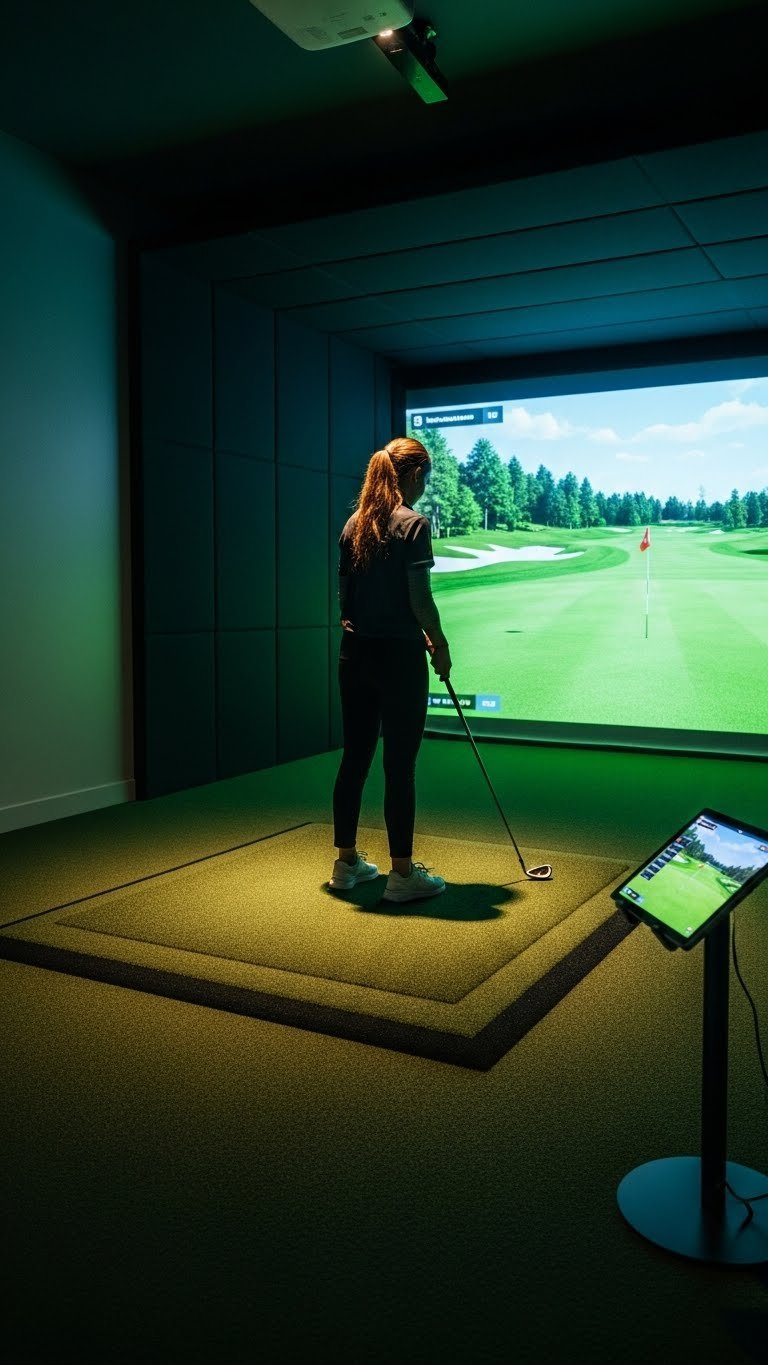
Pin this ultimate immersion idea for your dream golf simulator!
Opting for a near-black finish is the pinnacle for achieving the absolute best visual performance and an truly immersive golf experience in your simulator room. These dark golf simulator room colors create a “black box” environment, similar to a professional home theater, where the walls and ceiling effectively disappear. This ensures that virtually all stray light from the projector is absorbed, making your projected golf course appear brighter, more vibrant, and with unparalleled contrast. It’s the choice for enthusiasts who prioritize function over making the room feel larger, as the visual benefits outweigh other considerations, positioning it as an ideal non-reflective golf simulator paint solution.
What You Need
- Paint Color: Sherwin Williams “Greenblack” (SW 6994) or Behr “Broadway” (PPU18-20)
- Paint Finish: Matte or Flat is non-negotiable for this strategy.
- Primer: High-adhesion, dark-tinted primer.
- Tools: High-quality rollers (3/8″ nap), brushes, paint tray with liners, drop cloths, painter’s tape.
Application Steps
- Surface Prep: Meticulously clean and smooth the walls. Dark, matte colors are unforgiving and will show every imperfection. Spackle and sand any blemishes.
- Prime: Apply a coat of dark-tinted primer. This is crucial for achieving a deep, rich black finish in two coats.
- First Coat: Apply the first coat of near-black paint evenly. Work in sections, maintaining a wet edge to avoid roller marks.
- Inspect: After the first coat dries, use a bright, angled light to inspect for any missed spots or unevenness.
- Final Coat: Apply the second coat for a flawless, light-absorbing finish.
Pro-Tip: When using near-black paint, lighting is key. Plan for zoned, dimmable lighting (like recessed LEDs) so you can illuminate the hitting area without casting any light onto the walls or screen during play. This approach aligns with home theater paint colors best practices for optimal viewing.

3. Opt for a Rich, Dark Blue for a Sophisticated Look

Pin this sophisticated blue sim room idea to your ‘Home Design’ board!
A rich, dark navy blue offers an elegant alternative to grays and blacks, providing excellent light control while maintaining a sophisticated aesthetic, ideal for a multi-purpose sim room. This color choice ensures your golf simulator room colors effectively minimize glare and enhance projection clarity, almost on par with deeper charcoals. Yet, it adds a layer of design versatility, pairing beautifully with wood tones, leather, and metallic accents. It’s an excellent choice for man cave paint colors or a home golf studio design where the space needs to function as both a high-performance simulator and a refined lounge or office. This option is a great answer to the query “dark blue vs dark green sim paint” for those seeking a less overtly golf-themed yet equally functional space.
What You Need
- Paint Color: Benjamin Moore “Hale Navy” (HC-154) or Sherwin Williams “Naval” (SW 6244)
- Paint Finish: Flat or Matte finish is essential.
- Primer: Quality gray-tinted primer.
- Tools: Standard painting kit (rollers, brushes, tray, tape, drop cloths).
Application Steps
- Prep Room: Move all furniture to the center and cover it. Clean the walls thoroughly.
- Tape Edges: Carefully tape around wood trim, windows, and the ceiling line for crisp, professional edges.
- Prime Walls: Apply one coat of tinted primer to ensure the deep blue achieves its true color.
- Apply First Coat: Cut in the edges with a brush, then roll the main wall surfaces. Work from top to bottom.
- Apply Second Coat: After the first coat is fully dry, apply the final coat for a rich, uniform appearance. Remove tape while the second coat is still slightly wet for the cleanest lines.
Pro-Tip: Dark blue walls can make a room feel smaller. Counteract this by using a slightly lighter color on the ceiling (like a very light gray) and incorporating mirrors or metallic accents in the room’s decor to reflect light, contributing to a more aesthetic golf simulator room feel.

4. Choose a Deep Green for a Natural Golf-Themed Vibe
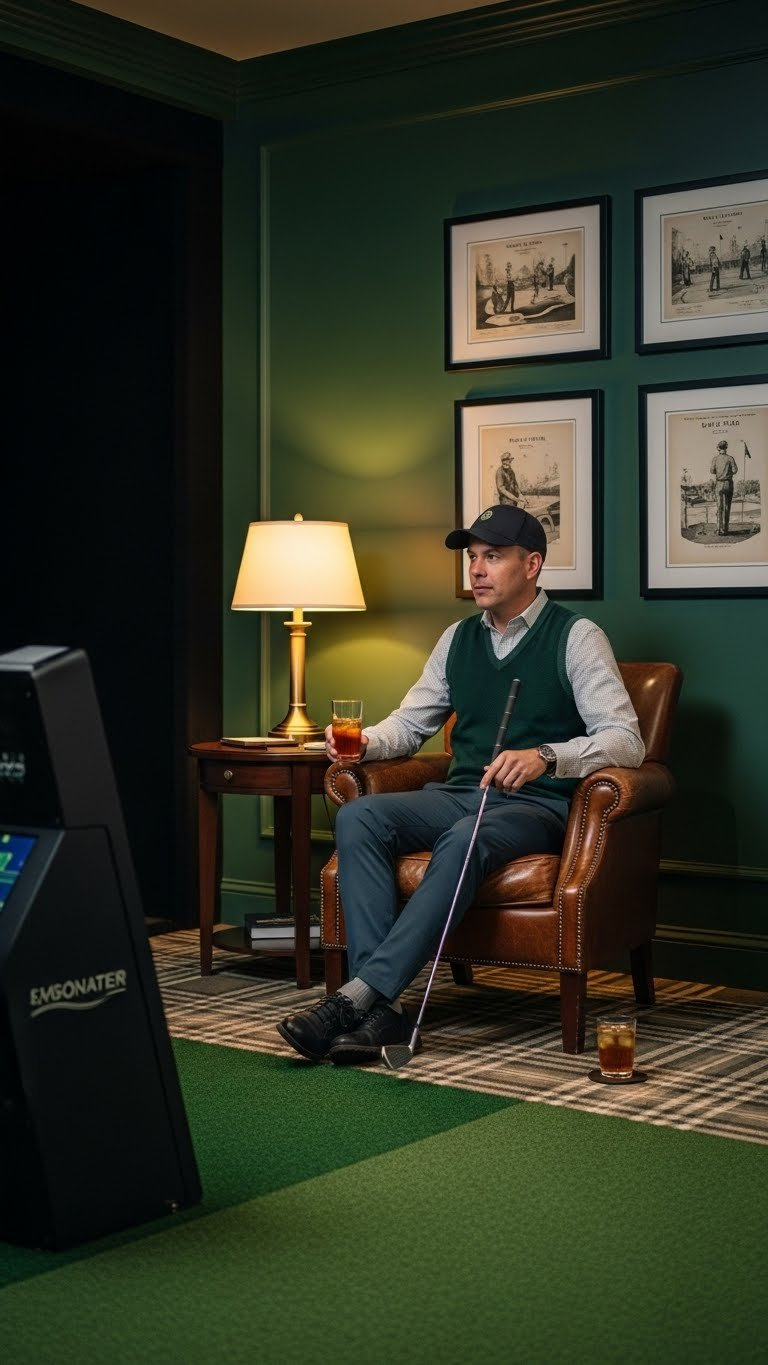
Love golf? Pin this classic green club-room idea!
A deep forest green offers a unique way to create a golf-themed environment while ensuring optimal light absorption for your simulator. This color choice intrinsically links to the lush greens of a golf course, fostering a calming yet engaging atmosphere perfect for concentration. Like dark blues, deep greens provide the necessary light-absorbing properties to reduce glare and enhance screen contrast, making it a functional and aesthetic choice for specific blues and greens for golf simulator walls. It’s particularly effective for those designing a home golf studio design aiming for a classic clubhouse feel.
What You Need
- Paint Color: Benjamin Moore “Essex Green” (HC-188) or Sherwin Williams “Jasper” (SW 6216)
- Paint Finish: Flat or Matte for best performance.
- Primer: Gray-tinted primer.
- Tools: Full painting supply kit.
Application Steps
- Prep and Clean: Ensure walls are clean, dry, and smooth.
- Prime: Apply a single, even coat of high-quality gray-tinted primer.
- Paint First Coat: Starting with the edges, apply the first coat of deep green paint. Use smooth, overlapping strokes with the roller.
- Dry and Inspect: Allow ample drying time. Inspect for any thin patches or imperfections.
- Paint Final Coat: Apply the second coat to achieve the final, deep color and perfectly non-reflective surface.
Pro-Tip: Deep greens pair exceptionally well with natural wood tones. Consider adding wood trim, a wooden-cased ball washer, or a classic wooden bag stand to complete the clubhouse aesthetic, enhancing the calming golf simulator room colors with rich textures.

5. Utilize a Medium Gray for Multi-Purpose Flexibility
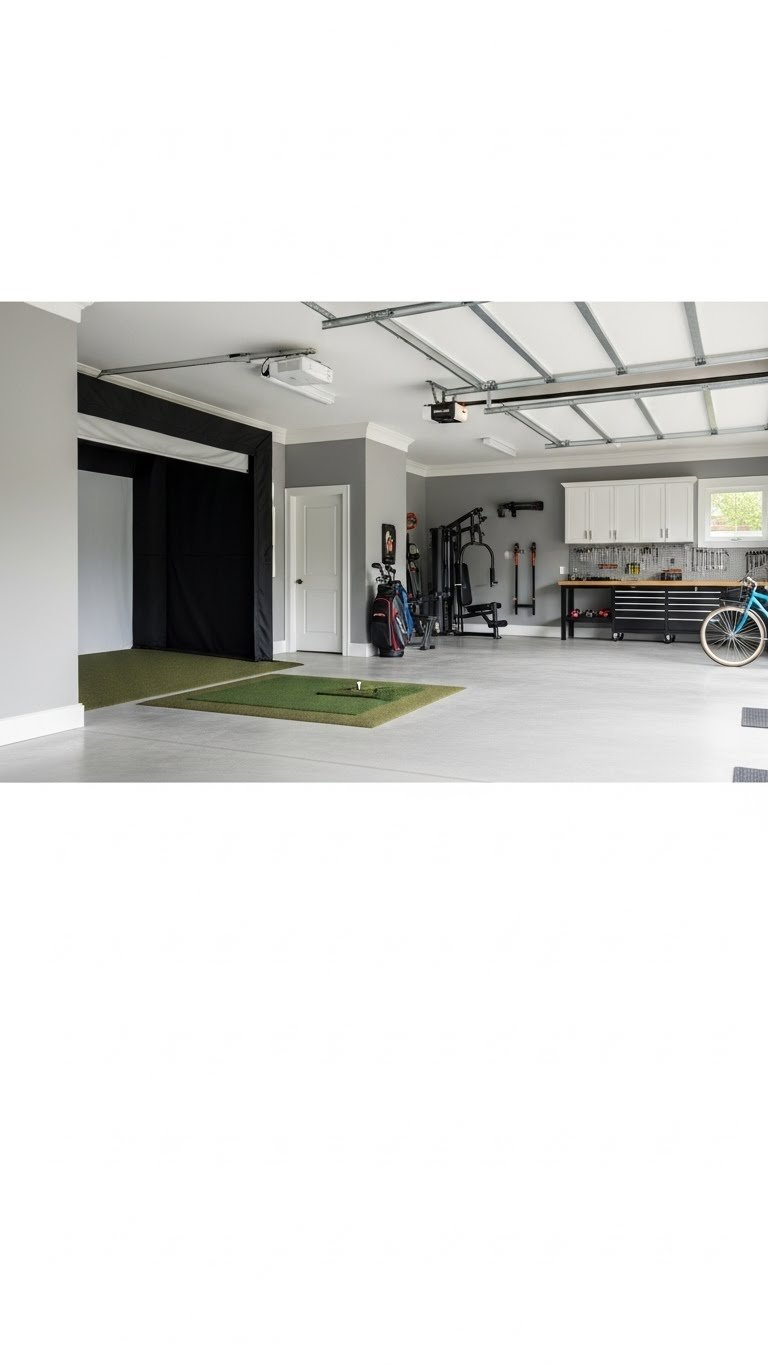
Need your sim room to do more? Pin this versatile gray idea!
A medium gray can be a practical compromise for a multi-purpose room where a fully dark environment isn’t feasible or desired. While not as light-absorbing as deep charcoals or blacks, a medium gray like Sherwin Williams’ “Repose Gray” offers better performance than white or very light colors. This strategy helps answer how to choose paint for a multi-purpose garage golf simulator by providing a solution that balances light control for the projector with the need to maintain a brighter, more open feel for other activities. It’s a pragmatic choice for a garage golf simulator setup or basement golf simulator ideas where the space might double as a gym, workshop, or general storage area.
What You Need
- Paint Color: Sherwin Williams “Repose Gray” (SW 7015) for a lighter feel or “Gauntlet Gray” (SW 7019) for better contrast.
- Paint Finish: Matte or Flat finish is still highly recommended.
- Primer: Primer suited for the surface (e.g., masonry primer for garage concrete walls).
- Tools: Standard painting kit.
Application Steps
- Prep Surfaces: For garages or basements, this may include cleaning concrete walls with a wire brush and TSP solution. Ensure the surface is completely dry.
- Prime: Use the appropriate primer for the wall type. This is crucial for paint adhesion on non-drywall surfaces.
- Cut In: Brush paint along all edges and corners.
- Roll First Coat: Apply the first coat of medium gray paint.
- Roll Second Coat: After drying, apply the final coat for a consistent finish.
Pro-Tip: If using a medium gray, invest in good light-blocking blinds or curtains for any windows in the room. Controlling ambient light becomes much more important when your walls aren’t fully absorbing it, addressing what color walls for a garage golf simulator effectively.

6. Create a Strategic “Blackout Wall” for Targeted Performance

Pin this clever accent wall idea for a simulator in a shared space!
For integrating a golf simulator into a multi-purpose living space without darkening the entire room, a strategic “blackout wall” behind the screen is an ingenious solution. This involves painting only the wall directly surrounding and behind your impact screen with a deep, flat black or charcoal paint. This focused approach provides maximum light absorption exactly where it’s needed most, making the projected image truly “pop” without compromising the brighter aesthetic of the rest of the room. It’s a clever answer to what makes a good backdrop for a golf simulator screen, especially for those with golf simulator enclosure colors that need to blend into a larger living area.
What You Need
- Accent Wall Paint: Sherwin Williams “Tricorn Black” (SW 6258) in a Flat finish.
- Main Wall Paint: A neutral off-white or light gray for the other walls.
- Tools: High-quality painter’s tape for ultra-sharp lines, plus a standard painting kit.
Application Steps
- Paint Main Walls: First, paint the other three walls in your lighter color and let them cure completely (at least 24 hours).
- Tape Off: Using high-adhesion painter’s tape (like FrogTape), carefully tape off the corners where the accent wall will meet the lighter walls. Press the tape edge firmly to seal it.
- Prime (Optional): If your wall is currently a light color, a coat of tinted primer can help the black cover in two coats.
- Paint Accent Wall: Cut in along your tape lines with the black paint. Then, roll the rest of the wall. Apply two coats for a solid finish.
- Remove Tape: Carefully pull the tape off at a 45-degree angle while the second coat is still wet for the sharpest possible line.
Pro-Tip: The “blackout wall” strategy works best for the wall directly behind and around the impact screen. This frames the image perfectly and absorbs the most critical splashback light from the projector, addressing paint to make screen pop effectively.

7. Paint the Ceiling Dark to Complete the Light Box Effect
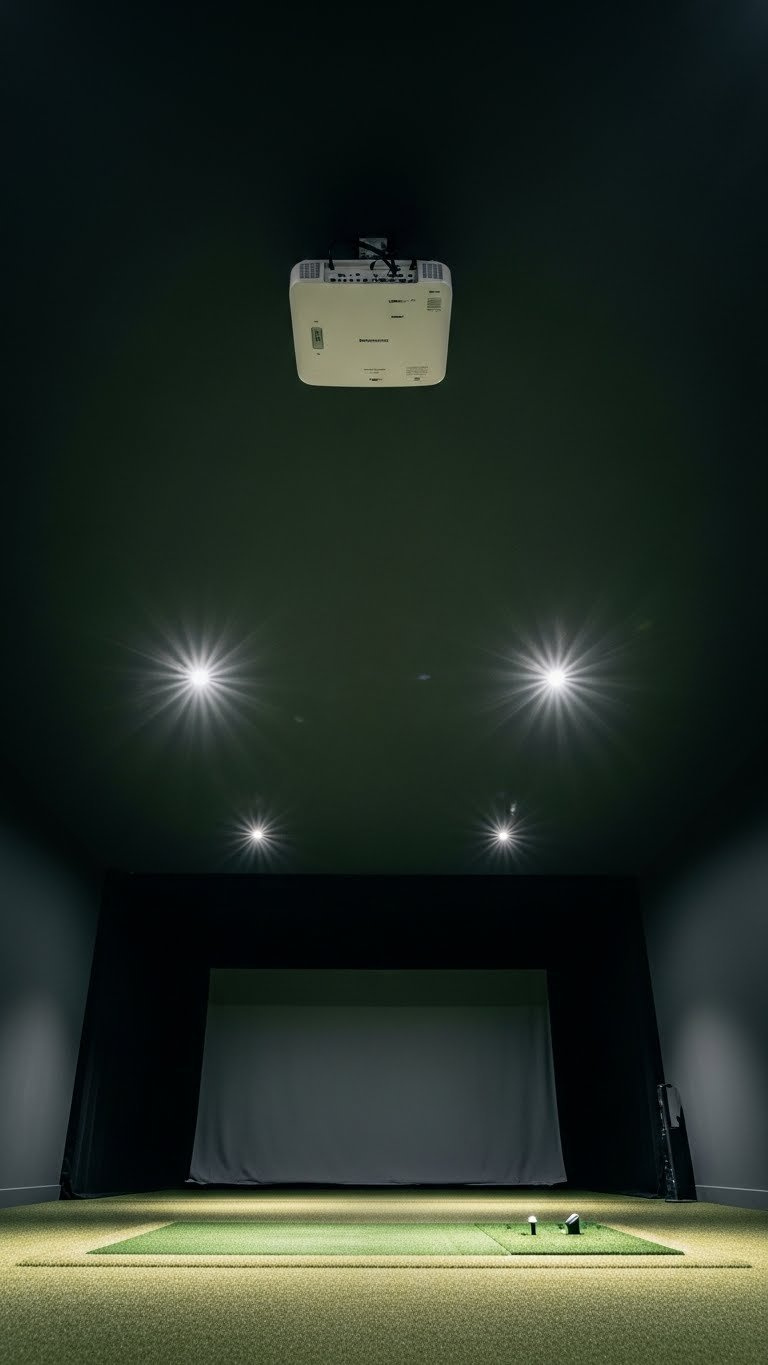
Don’t forget the fifth wall! Pin this pro tip for painting your sim room ceiling.
Painting your golf simulator room ceiling dark is a crucial, yet often overlooked, step to fully maximize light control and achieve a truly immersive environment. Just like walls, a bright ceiling can reflect stray light from your projector back down onto the screen or directly into your eyes, diminishing contrast and causing glare. A dark, matte ceiling effectively absorbs this overhead light, completing the “black box” effect and significantly enhancing the perceived depth and vibrancy of your projected golf course. This answers the critical question: Should I paint my golf simulator room ceiling dark? Yes, for serious enthusiasts, it’s non-negotiable.
What You Need
- Paint Color: The same flat or matte dark color used on the walls (e.g., Iron Ore, Tricorn Black).
- Paint Type: A dedicated flat ceiling paint is best as it’s formulated to reduce splatter.
- Tools: Sturdy ladder, extension pole for your roller, eye protection, drop cloths, painter’s hat.
Application Steps
- Empty and Cover: Remove all furniture if possible. Cover everything you can’t remove, including the floor and impact screen, with drop cloths.
- Prep: Remove or tape off light fixtures and the projector mount. Wear eye protection.
- Cut In: Use a brush to paint around the edges of the ceiling and around any fixtures.
- Roll: Attach the roller to the extension pole. Load it with paint and roll in one consistent direction. Overlap each stroke by about 30%.
- Recoat: Allow the first coat to dry completely before applying a second coat in the opposite direction to ensure a smooth, even finish.
Pro-Tip: A common myth is that a dark ceiling makes a room feel shorter. In a simulator room, it can have the opposite effect, making the ceiling “disappear” and drawing all focus to the brightly lit screen, which enhances the sense of immersion and space. This is a key benefit of considering ceiling color ideas for your setup.

FAQs About golf simulator room colors
What is the ideal paint finish for a golf simulator room?
The ideal paint finish is a flat or matte sheen. These non-reflective finishes are crucial because they scatter light in all directions (diffuse reflection) rather than reflecting it directly like a mirror. This dramatically reduces glare, prevents distracting hotspots on the walls, and helps maintain the high contrast of your projected image.
Should I paint my golf simulator room ceiling dark?
Yes, for the best performance, you should absolutely paint the ceiling a dark, matte color. Often, it should be the same color as the walls. A dark ceiling prevents downward light reflection onto your screen and hitting area, which is a major source of visual “noise” and washout. This step is critical for creating a truly immersive “light box” environment.
What are common golf simulator room paint mistakes?
The most common mistake is using paint with any sheen, like eggshell or satin. Even in a dark color, a slight sheen will create noticeable glare and reflections. Another mistake is choosing a color that is too light, which reflects ambient light back onto the screen, reducing contrast. Finally, people often forget to paint the ceiling dark, which undermines the entire effort.
Can I use light colors in a golf simulator room?
It is strongly discouraged to use light colors on the walls immediately surrounding the screen. If you must have a lighter room for multi-purpose use, the best strategy is to paint the single wall behind and around your screen a flat black or charcoal. This “accent wall” provides the most critical light absorption while allowing the rest of the room to remain bright.
What is the impact of color on visual fidelity in a golf simulator?
The impact is massive; the right color is as important as a good projector. Dark, matte walls absorb stray light instead of reflecting it. This increases the perceived contrast ratio of the image, making blacks look deeper and colors appear more vibrant and saturated. It directly improves the realism and visual “pop” of the simulated golf course.
Are green or blue paints good for golf simulators?
Yes, as long as they are very dark shades with a flat finish. A deep forest green or a rich navy blue can be excellent choices. They provide the necessary light absorption while offering a more stylized, decorative look than simple charcoal or black. They are perfect for creating a “clubhouse” or sophisticated lounge feel without compromising performance.
How do I prevent reflections on my golf simulator screen?
Preventing reflections involves a two-part strategy: wall color and light control. First, paint your walls and ceiling a dark, flat color to absorb light that spills from the projector. Second, eliminate all other ambient light sources during play. This means turning off room lights and using blackout curtains or blinds on any windows.
What paint is best for high traffic sim rooms?
For durability, look for a premium matte paint that is also rated as washable. While traditional flat paints could scuff easily, modern formulations from brands like Benjamin Moore (Aura Matte) and Sherwin Williams (Duration Home Matte) offer excellent scuff resistance and washability, making them ideal for rooms that see a lot of use.
How do you make a golf simulator room feel spacious with paint?
To create a sense of space, focus on making the screen the sole source of brightness. When the walls and ceiling are a uniform dark color, they tend to visually recede, making them “disappear.” This technique, known as a “black box,” draws the eye entirely to the bright, expansive virtual course on the screen, which can paradoxically make the experience feel more spacious and boundless.
What specific shades of gray work best for golf simulators?
For maximum performance, dark charcoals are best. Sherwin Williams “Iron Ore” and Benjamin Moore “Kendall Charcoal” are highly recommended. For multi-purpose rooms needing a bit more brightness, a medium-dark gray like Sherwin Williams “Gauntlet Gray” is a popular and effective compromise that still offers decent light control.
Final Thoughts on Your Golf Simulator Room Colors
Choosing the right golf simulator room colors is a pivotal decision that significantly influences your playing experience. It moves beyond mere aesthetics to become a crucial element of your simulator’s visual performance. By understanding the principles of light absorption and the importance of a matte finish, you can transform your space into an optimal environment, minimizing glare and maximizing the vibrancy of your virtual golf course.
Here are the key takeaways to guide your choices:
- Dark Colors are Non-Negotiable: To eliminate glare and boost contrast, dark colors like charcoal, near-black, and navy are essential. They absorb stray light that would otherwise wash out the projected image.
- Finish Matters Most: Choose Flat or Matte: A paint’s sheen is as important as its color. A non-reflective matte or flat finish is critical to prevent specular reflection and hotspots on your walls.
- Don’t Forget the Ceiling: Painting the ceiling the same dark, matte color as the walls is one of the most effective ways to improve immersion and control ambient light for a “black box” theater effect.
- Popular Choices Are Popular for a Reason: Colors like Sherwin Williams’ “Iron Ore” and “Tricorn Black” are community-vetted and proven to work exceptionally well in simulator environments.
- Balance Performance with Aesthetics: For multi-purpose rooms, a strategic accent wall behind the screen or a well-chosen medium gray can provide a good balance between simulator performance and everyday livability.
- Control Ambient Light: Even with the perfect paint, external light is the enemy. Your color strategy should be paired with blackout blinds or curtains for any windows in the space.
Your investment in a golf simulator deserves an environment that showcases its full potential. By applying these proven golf simulator paint strategies, you’re not just painting walls; you’re crafting an unparalleled immersive golf experience. Which of these strategies will you implement first to enhance your golf simulator room in December 2025?
Last update on 2025-12-25 / Affiliate links / Images from Amazon Product Advertising API
