

As an Amazon Associate GolferHive.com earns from qualifying purchases.
Golf Simulator Room Ceiling: 7 Essential Solutions for Height & Protection
Ever found yourself mid-swing in your golf simulator, pulling back just slightly, fearing you might smash your expensive driver into the ceiling? This common worry plagues many aspiring home golf simulator owners, making every shot a hesitant one. You’re not alone in seeking both enough golf simulator room ceiling height and robust protection.
The ideal ceiling height for a golf simulator is generally 10 feet (3.05 meters), which allows most golfers to swing a driver without fear of impact. However, a minimum of 9 feet can be workable for many, sometimes with adjustments to layout or equipment. Ceiling protection is crucial for preventing damage from errant shots. Drawing from comprehensive analysis of current data and proven methodologies, this guide will navigate the complexities of overhead clearance and impact absorption. We’ll explore solutions that ensure both safety and an authentic golfing experience. Prepare to discover the definitive strategies for optimizing your indoor golf simulator ceiling.
Contents
show
How Do You Solve Golf Simulator Ceiling Height and Protection Issues?
Setting up an effective home golf simulator presents two primary challenges: achieving adequate golf simulator ceiling height for an uninhibited swing and implementing robust ceiling protection against errant shots. Many golf enthusiasts, myself included, have experienced that moment of hesitation with a driver or the disheartening thud of a ball hitting an unprotected surface. These concerns directly impact both playability and the longevity of your investment. According to experienced golf simulator builders, ensuring proper overhead clearance and impact absorption are non-negotiable for a truly immersive and safe environment. This section will frame these core problems and introduce the range of solutions available, ensuring your golf sim ceiling requirements are met effectively.
7 Essential Solutions for Golf Simulator Ceiling Height & Protection
Navigating the complexities of golf simulator overhead clearance and impact resistance requires a strategic approach. Whether you’re dealing with a low basement ceiling or aiming for a premium setup, there’s a solution to ensure safety and enhance your experience. This guide will delve into seven distinct, actionable strategies for installing ceiling protection and optimizing your vertical space. Each method offers a balance of cost, ease of installation, and effectiveness, allowing you to tailor your golf simulator ceiling solutions to your specific needs and budget. From simple DIY fixes to comprehensive enclosure systems, you’ll find the practical guidance needed to hit every shot with confidence.
1. Install Impact-Absorbing Foam Tiles for Direct Protection
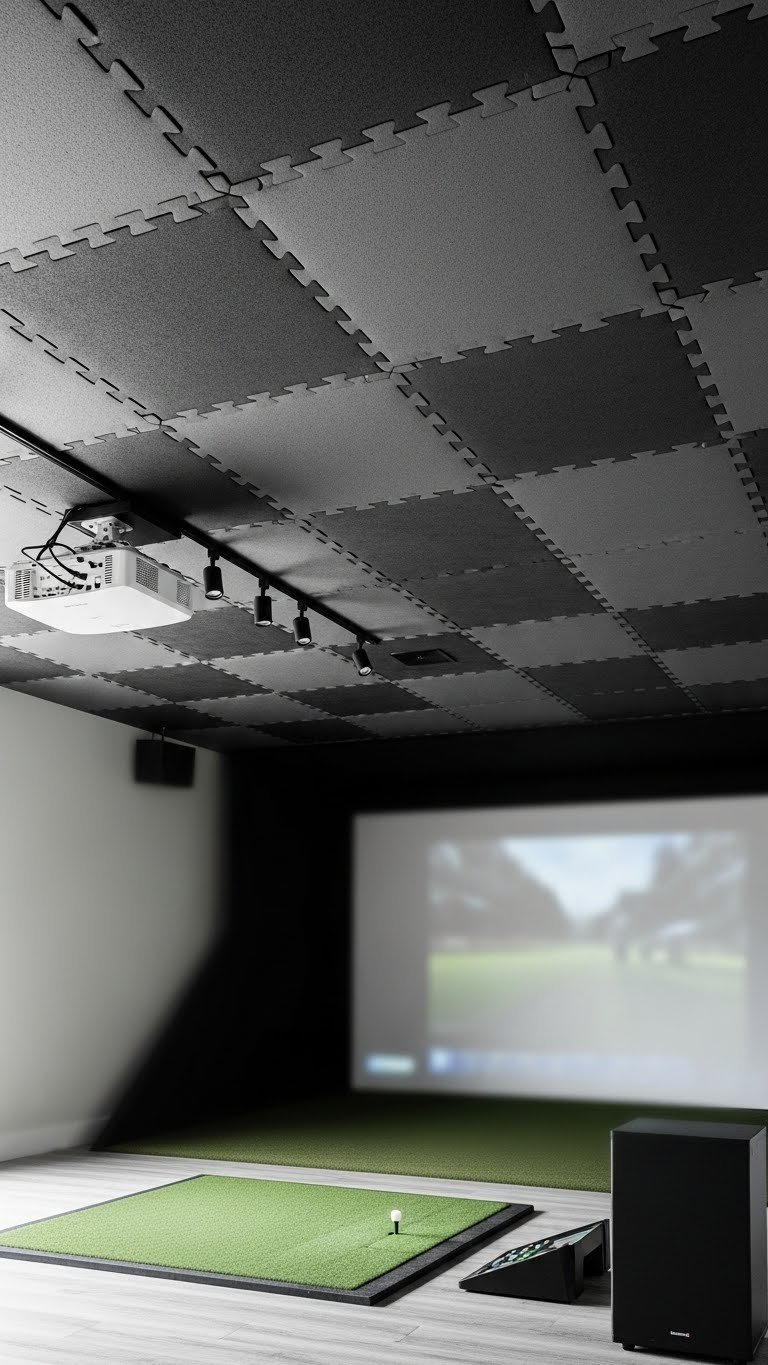
Pin this affordable DIY ceiling protection idea to your “Golf Sim Build” board!
Installing impact-absorbing foam tiles is one of the most budget-friendly and effective ways to provide direct protection for your golf simulator room ceiling. These padded ceiling panels golf simulator enthusiasts often choose are typically made from high-density EVA foam gym flooring materials, known for their ability to cushion impacts from errant golf balls. This solution is particularly popular for DIY setups due to its relative ease of installing ceiling protection and the significant reduction in damage risk to your drywall or exposed joists. When considering DIY ceiling protection, foam tiles offer a practical blend of performance and affordability.
Materials Needed
- High-Density Interlocking Foam Tiles (at least 1/2-inch thick)
- Heavy-Duty Construction Adhesive (e.g., Loctite PL Premium)
- Caulking Gun
- Utility Knife with extra blades
- Measuring Tape
- Straight Edge or Carpenter’s Square
- Pencil or Marker
Installation Steps
- Measure and Clean: Carefully measure your ceiling area. Thoroughly clean the ceiling surface to remove dust and debris for better adhesion.
- Plan Your Layout: Start from a center line and work outwards to ensure a symmetrical, professional look. Dry fit a few tiles first to check your layout.
- Apply Adhesive: Apply a generous amount of construction adhesive to the back of the first foam tile in a serpentine “S” pattern.
- Press and Hold: Firmly press the tile onto the ceiling, holding it in place for 30-60 seconds to ensure a strong bond.
- Interlock and Repeat: Apply the next tile, ensuring the interlocking edges connect snugly. Repeat this process across the entire ceiling.
- Cut to Fit: Use the utility knife and straight edge to precisely cut tiles to fit around light fixtures, vents, or the edges of the room.
Pro-Tip: For extra sound dampening, first install a layer of mass-loaded vinyl (MLV) to the ceiling before applying the foam tiles. This combination significantly reduces noise from ball impacts, a key principle in acoustic dampening golf simulator design.

2. Hang Heavy-Duty Sports Netting for Ball Containment
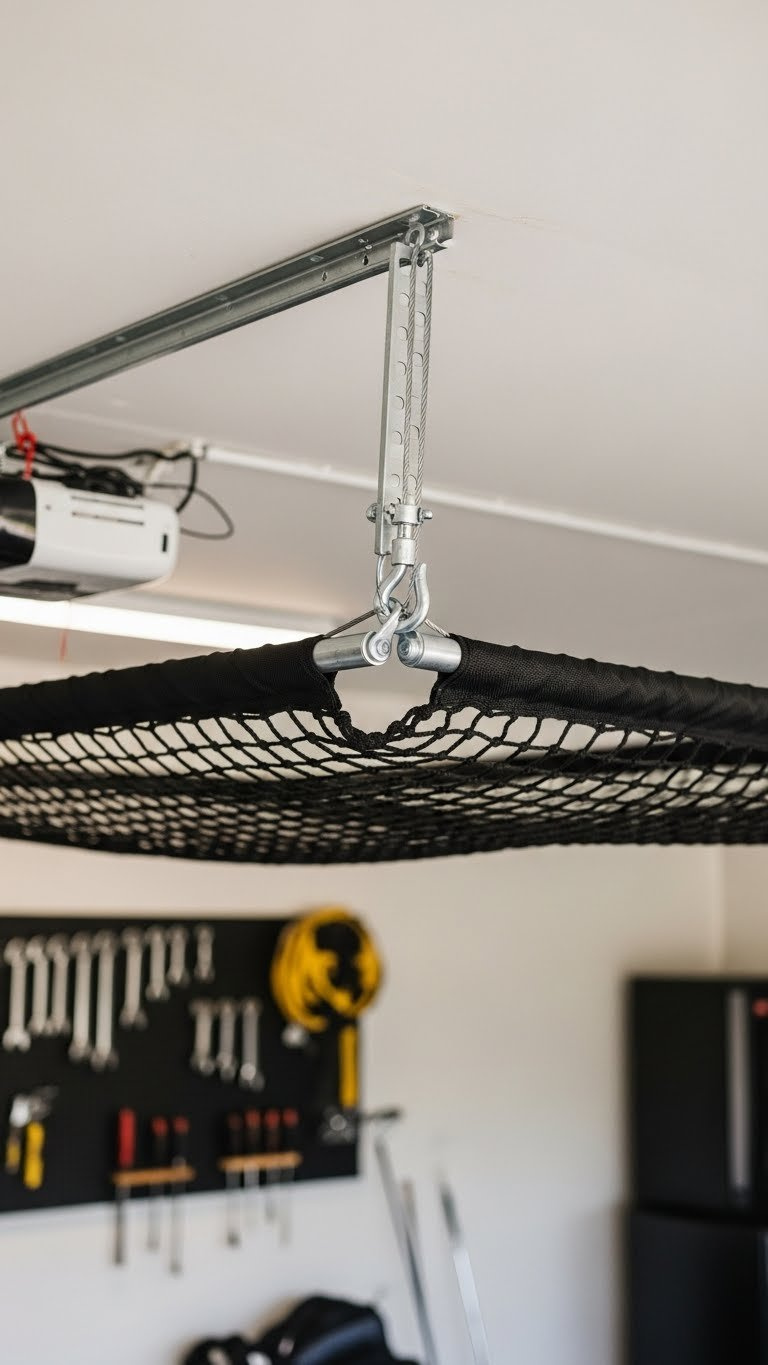
Save this netting installation guide for your ultimate garage golf simulator!
Heavy-duty sports netting offers an excellent solution for ball containment, particularly against high-arching shots and flop shots that frequently miss the main impact screen. Unlike rigid padding, netting vs padding for golf sim ceiling discussions often highlight that netting excels at “catching” the ball, dissipating its energy rather than reflecting it. This prevents balls from causing ceiling bounce back golf balls hazards, ensuring a safer play area. It’s a highly recommended option for golfers concerned about stray shots reaching the ceiling structure. Many golf simulator safety guidelines emphasize containment, making netting a smart addition.
Supplies Needed
- Heavy-Duty Golf Impact Netting (custom cut to size)
- Aircraft Cable or Steel Wire Rope
- Heavy-Duty Eye Bolt Screws (for ceiling joists)
- Turnbuckles (for tensioning)
- Cable Clamps or Ferrules
- Carabiners or Snap Hooks
Installation Steps
- Locate Joists: Use a stud finder to locate the ceiling joists. This is critical for secure mounting. Mark the joist locations for your eye bolts.
- Install Eye Bolts: Drill pilot holes into the center of the joists and screw in the heavy-duty eye bolts at the four corners of your desired netting area, plus any mid-span points for larger nets.
- Run the Cable: Thread the aircraft cable through the eye bolts around the perimeter of the area.
- Attach Netting: Use carabiners to clip the edges of the golf netting to the suspended cable perimeter.
- Tension the System: Attach turnbuckles in line with the cable. Tighten the turnbuckles to remove slack from the cable, making the net taut. The goal is to create a slight sag (a few inches) to absorb ball energy, not to make it rigid like a trampoline.
Pro-Tip: When calculating ceiling height for netting, ensure there is at least a 6-12 inch gap between the net and the actual ceiling. This space allows the net to deform upon impact and safely absorb the ball’s energy without transferring it to the ceiling structure.

3. Mount Professional Acoustic Panels for Superior Performance
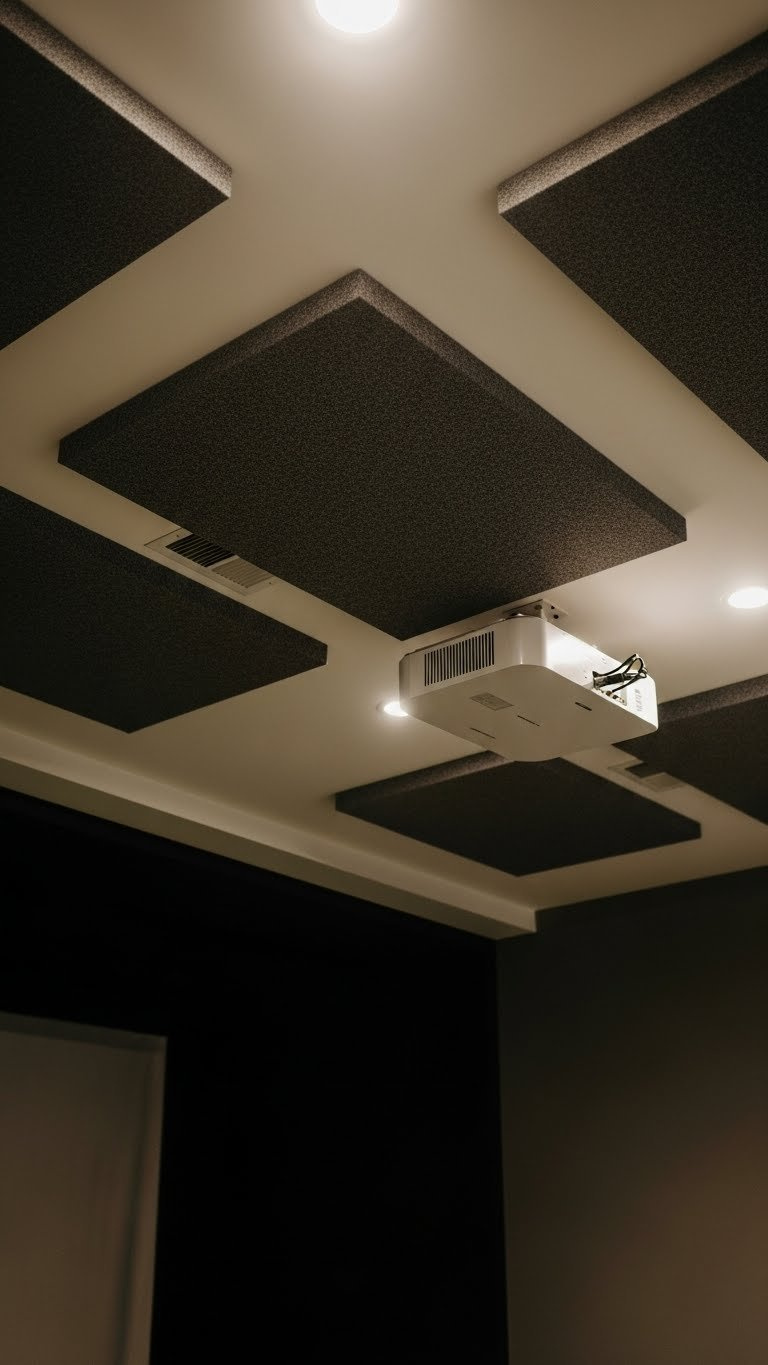
Pin this premium ceiling solution for your dream golf simulator room!
Professional acoustic panels provide a high-performance solution for both impact protection and sound management in your golf simulator. These specialized impact resistant ceiling materials, often fabric-wrapped and several inches thick, not only cushion direct impacts but also significantly improve the overall acoustics of your home golf studio. Installing acoustic ceiling panels golf simulator setups is a common best practices for golf simulator ceilings recommendation, especially for those seeking a premium experience. By mitigating both physical damage and excessive noise, these panels contribute to a much more immersive and enjoyable simulation environment.
What You Need
- Impact-Resistant Acoustic Panels (2-inch thickness recommended)
- Rotofast Snap-on Anchors or Z-Clips for mounting
- Drill with appropriate bits
- Level
- Measuring Tape
- Safety Goggles
Steps
- Plan Panel Layout: Determine the optimal placement on your ceiling, focusing on the area directly above and slightly in front of the hitting mat. Use a level to mark the mounting points for a perfect grid.
- Install Mounting Hardware: Following the manufacturer’s instructions, install the mounting hardware (like Z-clips or Rotofast anchors) onto the ceiling joists. Ensure they are level and securely fastened.
- Prepare the Panels: Attach the corresponding part of the mounting hardware to the back of each acoustic panel.
- Mount the Panels: Carefully lift each panel and click or slide it into place on the ceiling-mounted hardware. Ensure each panel is securely seated before moving to the next one.
- Check for Gaps: Ensure panels are aligned correctly with consistent spacing for a clean, professional finish.
Pro-Tip: For advanced acoustic dampening, mount the panels with a 1-2 inch air gap between the panel and the ceiling. This gap dramatically increases low-frequency sound absorption, a technique used in professional recording studios.

4. Construct a Custom Fabric Baffle System
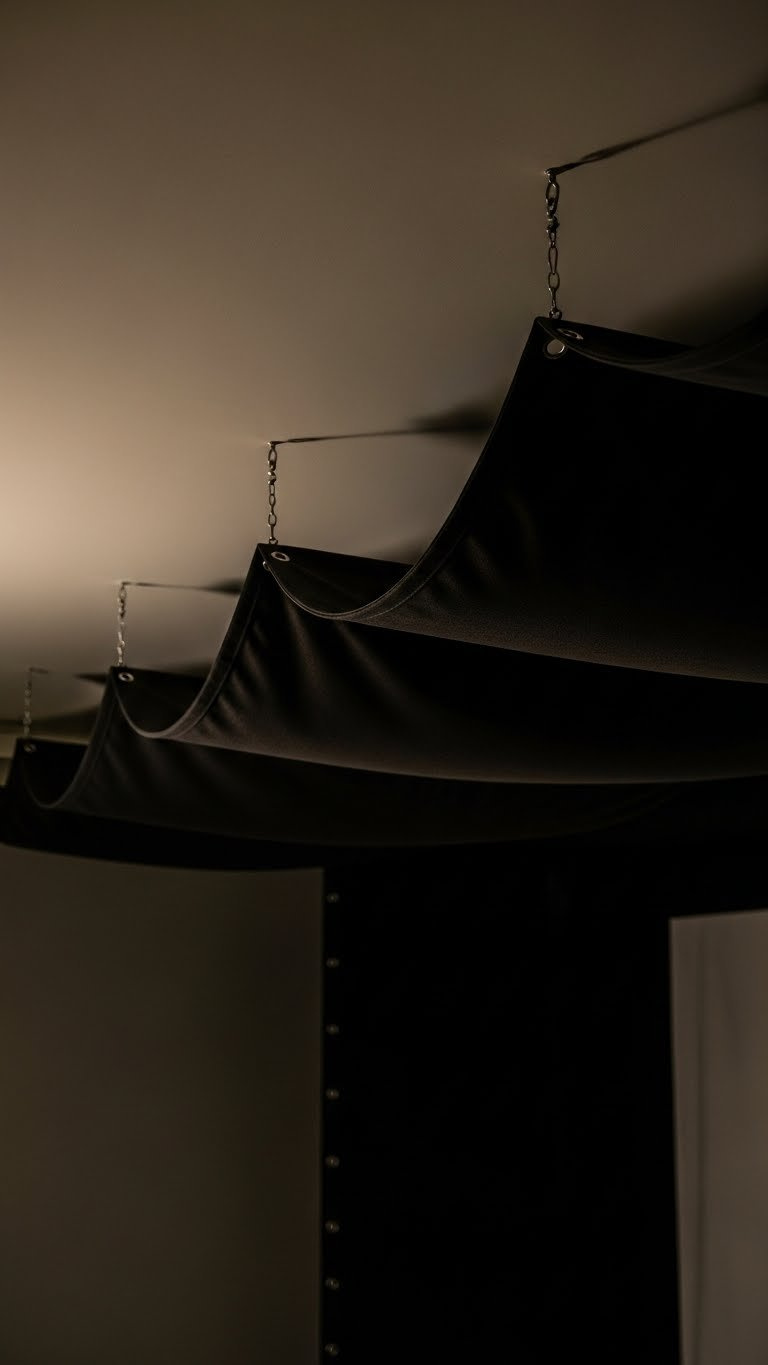
Add this custom baffle idea to your “Advanced Golf Sim Designs” board!
A custom fabric baffle system offers an advanced and highly effective solution for preventing **golf simulator ceiling damage, particularly in areas prone to high-velocity impacts or irregularly shaped rooms.** These baffles, typically crafted from heavy-duty canvas or similar durable fabrics, are designed to hang in soft, undulating patterns from the ceiling. Their flexibility allows them to completely absorb and deaden the energy of an incoming golf ball, significantly reducing rebound. For those looking for a custom golf simulator ceiling that provides superior impact attenuation, a baffle system is a fantastic DIY golf simulator project, offering both functionality and a professional aesthetic.
Supplies Needed
- Heavy-Duty Fabric (e.g., canvas, commando cloth, or vinyl)
- Grommet Installation Kit
- Aircraft Cable and Turnbuckles
- Heavy-Duty Eye Bolt Screws
- Drill and Stud Finder
Directions
- Design the Baffle System: Plan your layout. Baffles are typically hung in parallel rows with a slight sag, creating deep channels to catch the ball.
- Install Support Cables: Securely mount eye bolts into ceiling joists and run taut aircraft cables across the room where your fabric edges will hang.
- Prepare the Fabric: Cut the heavy-duty fabric to size, leaving extra length for the desired amount of sag. Use the grommet kit to install grommets every 12-18 inches along the edges that will attach to the cables.
- Hang the Baffles: Thread the support cables through the grommets in the fabric, creating soft, deep “U” shapes that hang from the ceiling.
- Adjust the Sag: Use turnbuckles to adjust cable tension, which controls the depth and tautness of the fabric baffles. The goal is for the fabric to be loose enough to absorb impact completely.
Pro-Tip: For the ultimate impact attenuation ceiling system, layer two sets of baffles perpendicular to each other. This creates a cross-hatch pattern that ensures no matter the angle of impact, the ball is caught safely in fabric.

5. Select a Floor-Based Launch Monitor for Low Ceilings
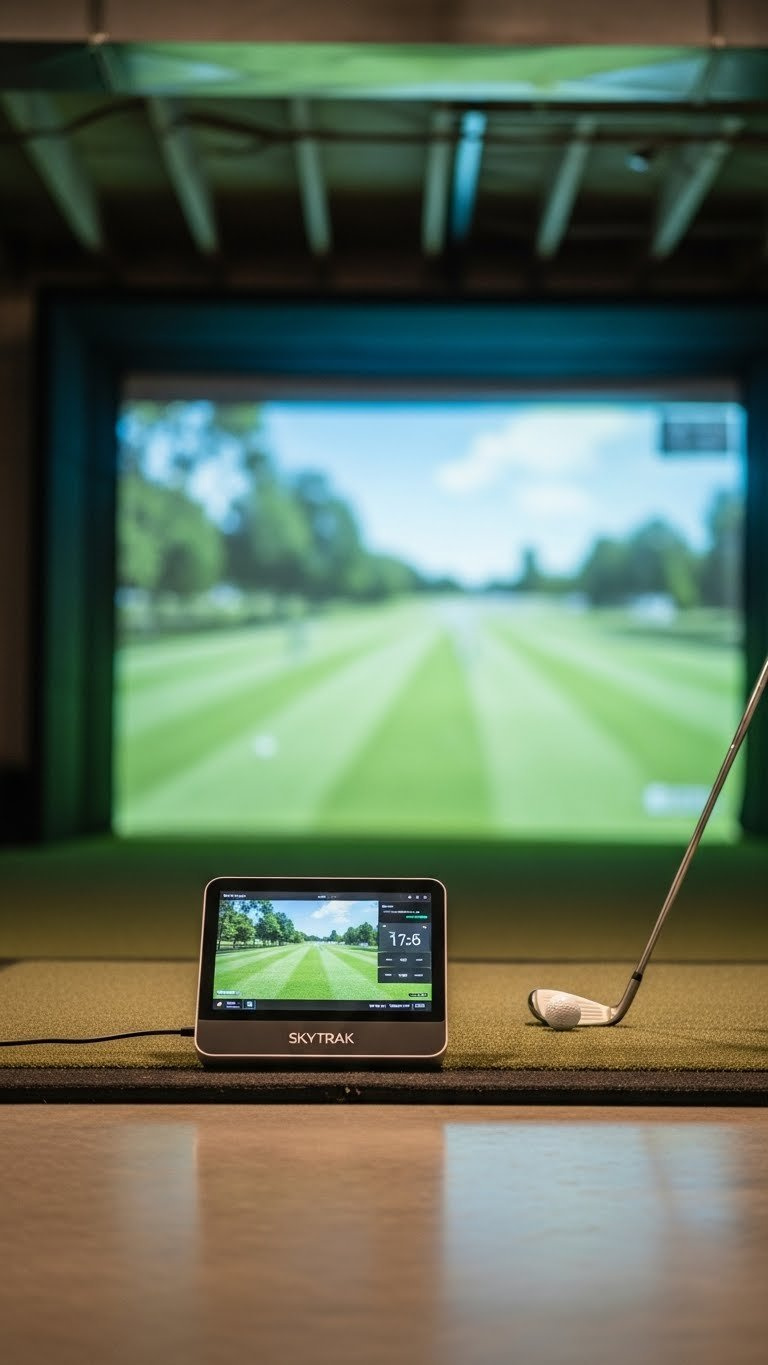
Got a low ceiling? Pin this smart solution to make your golf sim a reality!
For individuals facing the challenge of low ceiling golf simulator options, choosing a floor-based launch monitor is a strategic equipment decision that can bypass many overhead clearance issues. Unlike overhead launch monitor vs side mount systems that require significant vertical space or ceiling mounting, floor-based units sit beside the hitting area, eliminating the need to worry about them interfering with your swing or being struck by a club. This is a game-changer for setups in spaces with an 8 foot ceiling vs 9 foot ceiling golf simulator constraints, making it possible to have a functional simulator without extensive renovations. Popular choices like SkyTrak golf simulator are excellent examples of this technology.
What You Need
- A Photometric (Camera-Based) Launch Monitor (e.g., SkyTrak, Bushnell Launch Pro, Garmin Approach R10)
- A Protective Case for the launch monitor
- Laser Level or Alignment Stick
- High-Quality Hitting Mat
Steps
- Choose the Right Monitor: Research and select a floor-based launch monitor known for its accuracy in indoor settings. Photometric units are generally preferred for limited-space setups.
- Position the Unit: Place the launch monitor on the floor, parallel to the target line, at the manufacturer’s specified distance from the hitting area. This is typically directly beside or slightly behind the ball.
- Align Precisely: Use a laser level or alignment stick to ensure the launch monitor is perfectly square to your impact screen and target line. Even a slight misalignment can skew data.
- Protect Your Investment: Place the launch monitor inside its protective metal case to guard against accidental strikes from clubs or balls.
- Test and Calibrate: Hit several shots with various clubs to confirm the unit is reading accurately and that your data (ball speed, launch angle, etc.) is consistent.
Pro-Tip: In a golf simulator low ceiling setup, pairing a floor-based monitor with an ultra-short-throw projector (also placed on the floor or a low table) completely eliminates the need for any ceiling-mounted hardware, maximizing every inch of available vertical space.

6. Properly Mount a Projector to Avoid Obstructions
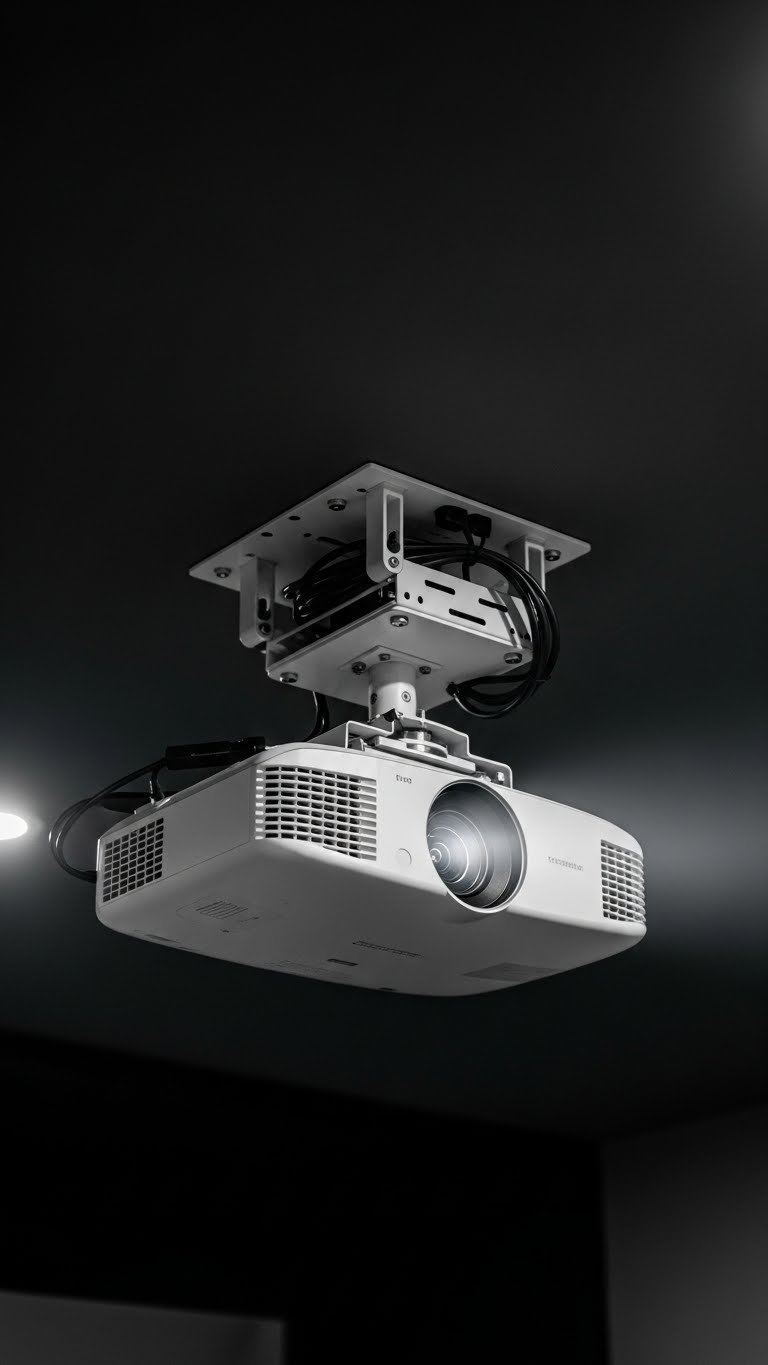
Get the perfect picture! Pin this projector mounting guide for your sim room.
A correctly installed **ceiling mounted projector setup is crucial for a clear, unobstructed image on your impact screen and to prevent projector obstruction ceiling golf sim issues.** While the projector itself doesn’t typically require significant ceiling clearance, its placement is paramount to avoid casting shadows on the screen, which can detract from the immersive experience. Understanding that a projector requires ceiling clearance from the swing path and careful positioning relative to the screen is fundamental to mounting golf simulator equipment effectively. This strategy focuses on precise measurement and thoughtful installation to integrate this vital component seamlessly into your simulator space.
Tools Required
- Golf Simulator Projector (Short Throw recommended)
- Universal Projector Ceiling Mount
- Stud Finder
- Drill and Lag Bolts
- Level
- Projector Throw Distance Calculator (online tool)
Process
- Calculate Throw Distance: Use an online calculator and your projector’s “throw ratio” to determine the exact distance it needs to be from the screen to fill it perfectly.
- Determine Mounting Position: The ideal spot is just behind the golfer’s head at the top of their swing. This prevents the golfer’s body from casting a shadow on the screen.
- Locate a Ceiling Joist: Use a stud finder to find a secure ceiling joist at your calculated mounting distance. Never mount a projector only to drywall.
- Attach the Mount: Securely attach the ceiling plate of the projector mount to the joist using the supplied lag bolts. Verify it is level.
- Mount the Projector: Attach the projector to the mount’s arm assembly, then connect the arm to the ceiling plate.
- Adjust the Image: Power on the projector and use the mount’s adjustments (tilt, roll, yaw) and the projector’s keystone correction to perfectly align the image on your screen.
Pro-Tip: Before drilling any holes, use a piece of string and a plumb bob to hang from the proposed mounting point. Stand in your hitting area and take a practice swing to ensure 100% clearance and confirm you won’t cast a shadow. This is a core tenet of professional design golf simulator planning.

7. Build a Full Enclosure with an Integrated Ceiling Panel
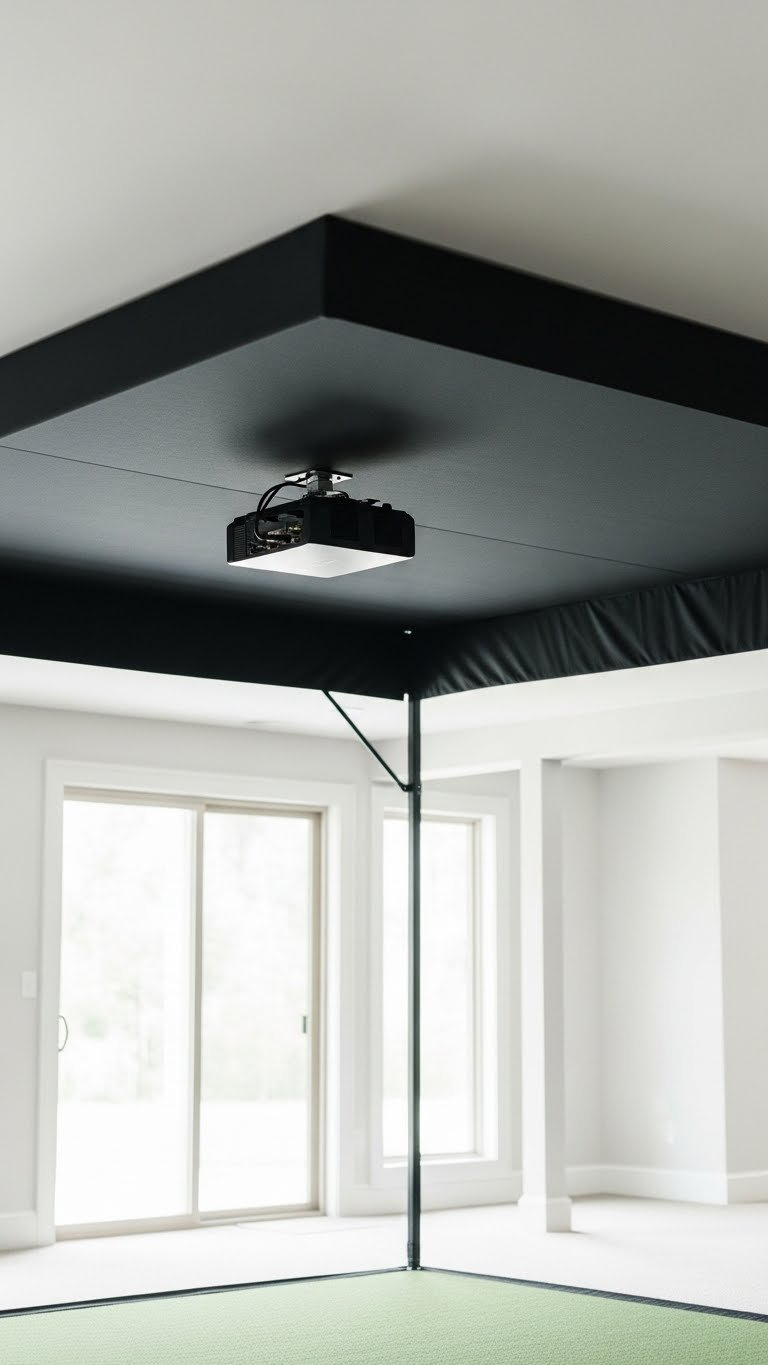
Pin the ultimate all-in-one solution for your perfect golf simulator setup!
For a comprehensive and convenient approach to **golf simulator room ceiling protection, building a full enclosure with an integrated ceiling panel is an unparalleled solution.** These golf simulator enclosures provide complete 360-degree safety, encompassing not only the impact screen and side walls but also the crucial overhead area. The distinction between an enclosure with ceiling vs open room setup is significant; the enclosure creates a dedicated bay that manages all potential impact points, including those from top of golf simulator enclosure hits. This option simplifies your setup, ensuring a safe hitting environment without needing to modify your existing room structure. It’s an ideal choice for users prioritizing ease of assembly and maximum safety.
What You Need
- A Complete Golf Simulator Enclosure Kit (including frame, impact screen, side walls, and ceiling panel)
- Rubber Mallet
- Step Ladder
- A second person to help
Assembly Steps
- Unpack and Organize: Lay out all frame components and fabric panels according to the instruction manual. This will save significant time.
- Assemble the Frame: Following the manufacturer’s guide, connect the metal poles to build the rectangular frame of the enclosure. A rubber mallet can help seat connections firmly.
- Attach the Impact Screen: Secure the impact screen to the front of the frame first. Most use bungees or Velcro straps for a tight, wrinkle-free fit.
- Secure the Side Walls: Attach the side wall fabric panels to the left and right sides of the frame.
- Install the Ceiling Panel: Drape the ceiling panel over the top of the frame and secure it. This final piece connects the side walls and creates a fully enclosed, protected bay.
- Make Final Adjustments: Go around the entire enclosure and tighten all straps and bungees to ensure all surfaces are smooth and taut.
Pro-Tip: When choosing an enclosure, look for one with a “baffle” or extra hanging impact screen about 12 inches behind the main screen. This rebound reduction technology dramatically reduces ball bounce-back and increases the longevity of your main screen.

FAQs About Golf Simulator Room Ceiling
What is the absolute minimum ceiling height for a golf simulator?
The absolute minimum ceiling height is generally considered to be 8.5 to 9 feet. At this height, most golfers can swing irons and hybrids, but may need to use a shorter driver or adjust their swing. It is crucial to take slow practice swings with your longest club to confirm clearance before installing.
Can you use a golf simulator with an 8-foot ceiling?
Yes, but it is challenging and comes with significant limitations. You will likely be unable to hit a driver or fairway woods. It’s best suited for irons-only practice. Success with an 8-foot ceiling depends on the golfer’s height and swing plane, making it critical to test extensively before committing.
How do you protect a ceiling from flop shots?
The best protection for flop shots is a containment system like heavy-duty sports netting or a fabric baffle. These systems are designed to catch and absorb the energy of high-arching shots, preventing them from impacting the hard ceiling surface and stopping dangerous bounce-back.
Is 10 feet a high enough ceiling for a golf simulator?
Yes, 10 feet is considered the ideal ceiling height for a home golf simulator. This height provides ample clearance for the vast majority of golfers to swing their driver freely and confidently without altering their natural swing plane. It is the gold standard for residential setups.
Should I use netting or padding for my golf simulator ceiling?
Use padding for direct impact absorption and netting for containment of high shots. If your primary concern is an errant line drive, foam tiles or acoustic panels work well. If you are worried about high-lofted wedge shots, netting is superior as it catches the ball. Many premium setups use both.
How much space do you need for a ceiling-mounted launch monitor?
A ceiling-mounted launch monitor itself doesn’t require extra height, but it must be positioned safely out of the swing path. The key is placing it far enough behind or in front of the golfer so the longest club cannot reach it. The unit’s placement is determined by its technology (e.g., Uneekor requires a specific position over the hitting area).
How do you soundproof a golf simulator room ceiling?
Soundproofing involves adding mass and decoupling surfaces. The most effective method is to use a combination of acoustic panels to absorb impact sound, mass-loaded vinyl (MLV) to block airborne noise, and resilient channels to decouple the drywall from the ceiling joists, which stops vibration transfer.
What are the best materials for golf simulator ceiling protection?
The best materials combine impact absorption and durability. High-density foam tiles (like gym flooring), professional fabric-wrapped acoustic panels, and heavy-duty canvas or vinyl for baffle systems are all excellent choices. The best option depends on your budget, aesthetic preferences, and DIY comfort level.
Does a taller golfer need a higher ceiling?
Yes, a taller golfer generally needs a higher ceiling. A golfer who is 6’3″ has a much larger swing arc than someone who is 5’7″. For taller players (over 6’2″), a ceiling height of 10.5 to 11 feet is recommended to ensure complete comfort and safety with a driver.
How far should the impact screen be from the ceiling?
Your impact screen should extend as close to the ceiling as possible to maximize the projected image. Ideally, there should only be a 1-2 inch gap at the top. This is usually managed by the enclosure frame or mounting system, ensuring a clean, immersive look.
Final Thoughts on Your Golf Simulator Ceiling
Creating the perfect golf simulator room ceiling is a critical step towards an enjoyable and safe indoor golfing experience. You’ve seen that it’s not just about height, but also smart protection. Whether you’re opting for simple foam tiles or a full enclosure, thoughtful planning is essential.
- Height is Paramount: Aim for 10 Feet – This is the industry standard ceiling height golf sim that allows most golfers to swing their driver confidently. A minimum of 9 feet is often workable, but always test your swing first.
- Protection is Non-Negotiable – An unprotected ceiling will eventually be hit. Direct protection like foam tiles or professional acoustic panels is essential to prevent costly damaged ceiling golf simulator repairs.
- Contain High Shots with Netting – For players who hit high-arching wedge and flop shots, a ceiling net or baffle system is the most effective solution for safely containing the ball and preventing bounce-back.
- Low Ceilings Have Solutions – If your space is under 9 feet, don’t give up. A low ceiling golf simulator option using a floor-based launch monitor and a floor-placed short-throw projector can make your dream a reality.
- Plan Your Mounts Precisely – The location of ceiling mounted projectors and launch monitors is critical. Calculate positions carefully to avoid shadows and ensure accurate data capture, a key component of an ideal setup.
- Enclosures Offer All-in-One Safety – For a simple, comprehensive, and safe solution, a full golf simulator enclosure with an integrated ceiling panel solves all protection needs in a single, easy-to-assemble package.
The structural integrity golf simulator ceiling solutions discussed today empower you to hit every shot with confidence, knowing your investment and your safety are secured. What steps will you take first to optimize your golf simulator room ceiling?
Last update on 2026-01-17 / Affiliate links / Images from Amazon Product Advertising API
