
As an Amazon Associate GolferHive.com earns from qualifying purchases.
Golf Simulator Event Ideas: 9 Epic Party Games for 2026
Planning a corporate mixer that keeps everyone entertained is notoriously difficult. Throwing mixed skill levels into the mix often leads to deep frustration. Thankfully, brilliant golf simulator event ideas solve this exact party-planning nightmare instantly.
The best golf simulator event ideas combine interactive gameplay with structured pacing, utilizing formats like 4-person scrambles for golfers and virtual target darts for non-golfers. To organize a successful golf simulator party, event planners must balance rapid player throughput, configure beginner-friendly game modes, and establish clear safety buffer zones.
Drawing from comprehensive analysis of current data and proven methodologies, we’ve structured the ultimate playbook. Leveraging tested frameworks and data-driven insights, this guide outlines highly scalable tournament structures. You will discover exactly how to execute a flawless hybrid corporate hospitality event today.
Contents
show
How Do You Organize a Golf Simulator Party That Everyone Enjoys?
To organize a golf simulator party that everyone enjoys, hosts must implement beginner-friendly game modes, enforce strict player pacing rules, and utilize gamified target golf to keep non-golfers continuously engaged.
Organizing a seamless indoor gathering requires far more than just renting a bay and handing guests a driver. The most common pitfall hosts face is handling mixed handicap fairness while preventing a massive simulator bay bottleneck. A commercial golf simulator bar and lounge provides the ultimate all-weather indoor entertainment solution, but only if you manage the logistics correctly. Imagine executing a bad weather corporate event backup plan where you successfully pivot an entire outdoor scramble into a vibrant indoor venue.
To achieve this, event planners must prioritize throughput optimization per bay hour. Using hardware with commercial grade launch monitor precision ensures accurate tracking, while safety certified impact baffles protect spectators. For a smooth run-of-show, you must structure your party around distinct game categories that accommodate both seasoned golfers and absolute beginners.
Expert Insight: What most guides miss is the critical importance of a throughput matrix. A standard 18-hole virtual round takes one player about 45 minutes. If you have a bay of four players, a full round takes three hours. To maximize guest throughput per hour, always limit corporate activations to 9-hole formats, 3-swing contests, or timed mini-games.
9 Epic Golf Simulator Event Ideas & Party Games for 2026
The most engaging indoor golf tournament concepts range from highly competitive virtual golf scramble tournaments for avid players to ultra-casual arcade-style demolition ranges for complete beginners.
Whether you are booking a mobile trailer golf sim or securing a premium corporate hospitality suite, selecting the right format is paramount. The technology powered by TrackMan virtual golf or E6 Connect software enables incredible multiplayer capability. By utilizing a massive digital leaderboard to display live participant standings, you instantly elevate the competitive atmosphere.
Below, we detail nine uniquely structured simulator golf competition formats. Each blueprint provides exact player counts, essential equipment, and step-by-step software configuration instructions to guarantee your event runs flawlessly from the first tee shot to the final putt.
1. Organize a Virtual Golf Scramble Tournament

Save this tournament blueprint to your event planning board!
The virtual golf scramble tournament is the undisputed king of indoor golf events because scramble rules inherently reduce pressure on novice players. When evaluating a 9 hole vs 18 hole virtual tournament timing, sticking to 9 holes in a scramble format is essential for maximizing guest throughput per hour in a multi-bay facility.
What You Need
- A commercial-grade launch monitor capable of multi-player profile tracking.
- Golf simulator software with scramble mode enabled (like GSPro or E6 Connect).
- A digital leaderboard to display live participant standings across multiple bays.
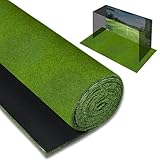
- Premium indoor putting green turf for a realistic stance and short-game feel.
- Titleist Pro V1 RCT balls specifically designed for optimal radar spin capture indoors.
Instructions
- Configure multiplayer game modes in your simulator software, selecting a 9-hole course to maximize guest throughput per hour.
- Assign mixed-handicap teams of four players, ensuring at least one experienced golfer is paired with beginners.
- Structure team scramble scoring by having every player hit a tee shot, then selecting the best drive for the group’s next shot location.
- Manage player rotation and pacing by enforcing a strict “ready golf” protocol and utilizing the software’s auto-putt features to save time.
- Display the real-time leaderboard on a secondary monitor so teams can track their standing against other simulator bays in the venue.
Pro-Tip: To optimize throughput optimization per bay hour, utilize the simulator’s conceded putt gimme circle radius settings. Setting a generous 10-foot “gimme” circle eliminates tedious micro-putting and shaves up to 45 minutes off a 4-person scramble round.
$10.00 offBestseller No. 1
2. Set Up a Closest to the Pin Shootout

Pin this rapid-fire event idea for your next corporate mixer!
If you need brand activation ideas for trade shows or large corporate mixers, a closest to the pin contest is your ultimate limited bay capacity workaround. This high-speed format ensures dozens of participants can filter through a single hitting area in just one hour, creating immense spectator excitement.
What You Need
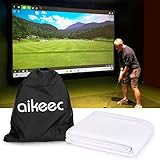
- A heavy-duty, commercial grade golf simulator impact screen designed to withstand high-velocity ball strikes all night.
- A pre-selected iconic Par 3 course (like the St Andrews Old Course simulation or Pebble Beach).
- Customized digital sponsor banners integrated into the software’s virtual environment.
- A dedicated MC or certified golf simulator technician on-site to hype up the crowd and reset the bay.
- High-quality prize giveaways displayed prominently near the hitting bay.
Instructions
- Calibrate launch monitor settings to a static distance (typically 125-150 yards) to ensure a level playing field for all participants.
- Customize digital sponsor banners within the software so the host’s logo is highly visible on the virtual tee box and green.
- Establish a strict three-shot rule per participant to maximize guest throughput per hour during busy networking events.
- Record the exact proximity to the hole for each player using the software’s sub-millimeter measurement tools.
- Update a physical or digital leaderboard immediately after each turn to build competitive tension and crowd engagement.
Pro-Tip: When hosting a closest to the pin contest as a trade show brand activation, use a dual launch monitor calibration for dual-handed play. Setting up the bay to seamlessly accommodate left and right-handed players without having to physically move the radar ensures you never lose a potential lead due to technical delays.
3. Host a Longest Drive Competition

Save this high-energy competition idea for your next bachelor party!
A longest drive competition brings raw adrenaline to any golf simulator bachelor party or competitive gathering. Because the launch monitor radar tracks clubhead speed and ball spin instantly, players get immediate, satisfying feedback on a wide-open digital fairway challenge.
What You Need
- A high-lumens 4K premium golf simulator projector capable of fighting commercial ambient light in a bright event space.
- A spacious simulator bay that exceeds the industry standard simulator dimensions (minimum 10 feet ceiling height required for full driver swings).
- Safety certified impact baffles and netting to catch high-velocity errant shots.
- A digital leaderboard dedicated exclusively to tracking driving distance and ball speed.
- A premium titanium driver provided as a “house club” for guests who didn’t bring their own.
Instructions
- Calibrate the simulated environment to a completely flat digital fairway with zero dynamic wind and course elevation conditions to ensure absolute fairness.
- Implement strict safety buffer zones by marking a designated standing area at least 8 feet behind the hitting mat for spectators.
- Provide a brief warm-up period (e.g., 2 practice swings) before recording official drives to prevent injury and acclimate players to the indoor swing.
- Record the top three distances for each player, using the software’s grid to automatically calculate total yardage and rollout.
- Utilize instant replays via high frame rate swing video capture integration to let players analyze their mechanics and entertain the crowd.
Pro-Tip: To maintain a level playing field across different skill levels, utilize the software’s simulated elevation change calculation or dynamic wind tools to create separate “flights” or divisions, ensuring both high-speed scratch golfers and casual players have a chance to top their respective leaderboards.


4. Play Target Golf & Virtual Darts

Save this beginner-friendly game idea for your next social mixer!
When searching for engaging non-golfers simulator games, look no further than virtual golf darts and target game ideas. By utilizing arcade game modes that transform a daunting golf course into a colorful dartboard, you create a gamified social venue where absolute beginners can compete effortlessly alongside seasoned pros.
What You Need
- A commercial-grade, shock-absorbing golf simulator hitting mat designed to prevent wrist injuries from fat shots (crucial for beginners).
- Simulator software featuring built-in arcade or virtual darts modes (like Topgolf Swing Suite or Foresight Sports).
- A selection of higher-lofted clubs (7-irons, 9-irons, wedges) which are easier for beginners to get airborne.
- Vibrant, multi-target digital canvas rendering enabled on the projector for a video-game-like visual experience.
- A relaxed, gamified social venue atmosphere with upbeat music and accessible catering.
Instructions
- Configure multiplayer game modes specifically set to the “Virtual Darts” or bullseye target environment.
- Explain the simple scoring system to the group—emphasizing that distance doesn’t matter, only accuracy in hitting the massive digital bullseyes.
- Accommodate left and right-handed players quickly by placing the golf ball in the center of the hitting mat and clearing the immediate swing radius.
- Implement a team-based point system where teams of two or four compete to reach exactly 301 or 501 points first, just like traditional pub darts.
- Facilitate prize award presentation for the winning team to encourage friendly banter and elevate the indoor golf bash atmosphere.
Pro-Tip: To solve the low engagement fix for spectator guests, set up a side-betting system or a digital leaderboard API sync across multiple bays so guests can track the arcade action while enjoying food and beverages away from the active hitting area.

5. Organize an Alternate Shot Simulator Contest

Pin this brilliant team-building format for your next corporate outing!
When evaluating a scramble format vs alternate shot in a simulator, an alternate shot simulator contest demands genuine collaboration. Because players must hit from wherever their partner left the ball on the virtual course, it requires intense communication and handicap calculation strategy, making it unparalleled for golf simulator team building.
What You Need
- Simulator software that fully supports official USGA handicap integration to balance teams of varying skill levels.
- A high-quality golf simulator ball tray dispenser organizer to keep the hitting area clean and professional during frequent player swaps.
- A curated 9-hole virtual course that balances strategic difficulty with wide fairways (e.g., Kapalua Plantation Course).
- Printed or digital scorecards that clearly delineate which team member is teeing off on odd vs. even holes.
- A dedicated event space providing food and beverage hospitality to keep resting players entertained between shots.
Instructions
- Design branded golf event invitations outlining the unique alternate shot format so teams can strategize before arriving.
- Structure team scoring by pairing a low-handicap player with a high-handicap player on two-person teams to ensure competitive balance.
- Enforce the alternate tee-shot rule, where Player A tees off on all odd holes and Player B tees off on all even holes, regardless of who holed out previously.
- Manage player rotation and pacing strictly; because players alternate every single shot, establishing a smooth physical rotation in and out of the hitting bay is crucial for safety and speed.
- Track tournament handicaps dynamically using the simulator’s built-in stroke allocation software to automatically calculate net scores.
Pro-Tip: To prevent frustration in an alternate shot format, utilize the software’s simulated lie penalties rough and sand adjustments. Dialing back the severe spin penalties from digital deep rough ensures that a beginner’s errant shot doesn’t completely ruin the hole for the experienced partner.

6. Host a Golf Simulator Skins Game

Save this intense, competitive format for your next golf trip prep!
For a smaller virtual golf gathering, mastering the golf simulator skins game rules for group events transforms a standard simulator bar rental into a high-stakes arena. Unlike basic stroke play, a skins match play format assigns value to every individual hole, making it the perfect individual skins vs team best ball simulator format for avid players.
What You Need
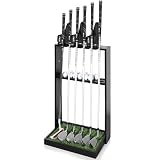
- A premium indoor golf club stand rack to organize multiple players’ bags efficiently in a confined simulator space.
- Simulator software featuring built-in “Skins” game modes (most platforms like TrackMan and Foresight have this natively).
- A group of 3 to 4 avid golfers (skins formats work best with smaller, highly competitive pods per bay).
- A predefined “value” for each skin (hole), whether it’s points, bragging rights, or a charity fundraiser entry fee pool.
- A course selected for high volatility—lots of risk/reward par 5s and drivable par 4s to encourage aggressive play.
Instructions
- Configure the digital fairway challenge in the software settings, selecting ‘Skins Mode’ instead of standard stroke play.
- Establish the carry-over rules before teeing off; if two players tie for the lowest score on a hole, the “skin” carries over to the next hole, increasing its value.
- Calibrate launch monitor settings to ensure accurate putting, as skins games are often won or lost on crucial 10-foot putts.
- Monitor the digital leaderboard, which will automatically track the accumulation of skins and carry-overs so players don’t have to do the math.
- Implement a shot clock pacing enforcement mechanism (even informally) to ensure the high-stakes nature of the game doesn’t ruin the maximizing guest throughput per hour.
Pro-Tip: When playing skins on a simulator, rely heavily on the data-driven tournament scoring systems. Letting the software dictate exact distances for ties (e.g., using “closest to the pin” metrics on tied holes instead of carrying over) can dramatically speed up play during a time-limited rental.
7. Run a Speed Golf Simulator Contest

Pin this fast-paced format to maximize your simulator rental time!
When dealing with massive crowds, speed golf simulator contest ideas for quick throughput are your logistical savior. By introducing a physical timer, you instantly resolve time management for 18 hole virtual play concerns, easily doubling your bay capacity while generating immense adrenaline.
What You Need
- A semi-automatic golf ball dispenser to instantly tee up the next ball, which is critical for speed golf formats.
- Simulator software configured for “Auto-Putt” (putting takes too long for speed golf).
- A digital stopwatch or a built-in shot clock pacing enforcement mechanism visible to the player.
- A simplified virtual par-3 course to keep shot selections straightforward and fast.
- Clear simulator enclosures to ensure spectator safety while players are rushing their swings.
Instructions
- Configure multiplayer game modes to individual stroke play, but manually enable a generous auto-putt radius (e.g., anything on the green counts as a 2-putt).
- Set up a strict 30-second shot clock per player, starting the moment the previous ball lands.
- Manage player rotation and pacing by having the “on-deck” player stand in a designated safe zone immediately adjacent to the hitting mat with their club already selected.
- Implement safety buffer zones aggressively; speed golf can lead to erratic swings, so the host must strictly enforce where spectators stand.
- Combine total strokes with total time taken (using a custom scoring formula) to determine the ultimate speed golf champion on your digital leaderboard.
Pro-Tip: To achieve true throughput optimization per bay hour during a large corporate activation, turn off the software’s “ball flight follow” camera angles. Forcing the camera to remain static on the tee box saves roughly 8 seconds per shot, which adds up to massive time savings over a 2-hour event window.

8. Set Up an Arcade-Style Demolition Range

Pin this incredible game mode to keep non-golfers endlessly entertained!
Wondering what are the best arcade style games on golf simulators for families and casual mixers? Demolition games represent the best virtual golf games for beginners at corporate events and indoor golf birthday parties because they turn traditional golf mechanics into explosive interactive event entertainment.
What You Need
- Soft indoor practice golf balls (foam or dense sponge) to ensure ultimate safety when kids or complete beginners are swinging aggressively.
- Simulator software that features gamified “Demolition,” “Glass Breaker,” or “Monster Hunt” modes (common in E6 Connect and Uneekor systems).
- A lower-height tee setup, as beginners often struggle to hit balls directly off the flat turf mat.
- High-definition projection capabilities to render the vibrant, video-game-style graphics properly.
- A clearly defined hit-zone and waiting area to maintain simulator enclosures ensure spectator safety.
Instructions
- Configure multiplayer game modes directly into the arcade or demolition module within your simulator software main menu.
- Swap out traditional golf balls for high-density foam practice balls if the event features children or inebriated adults (note: you must re-calibrate the launch monitor to read limited-flight balls).
- Instruct players to simply make contact; in demolition modes, hitting a digital building or glass pane anywhere yields highly satisfying visual and audio feedback, regardless of swing form.
- Coordinate catering and beverage service closely around the bay, as arcade modes generate a lively, bowling-alley style atmosphere where guests eat and drink constantly between quick turns.
- Display real time leaderboard high scores for “Most Damage Caused” or “Targets Destroyed” to keep the competitive energy high.
Pro-Tip: If you swap to foam balls for safety during an arcade-style birthday party, remember that photometric vs radar tracking latency changes. Photometric (camera-based) systems like the GCQuad read foam balls perfectly, but radar-based systems may require metallic dot stickers on the foam balls to capture accurate spin rates.

9. Host a Virtual Ryder Cup Team Tournament

Pin this ultimate team-competition blueprint for your winter golf league!
Learning how to host a virtual Ryder Cup tournament on simulators provides the ultimate golf simulator corporate challenge tournament structure. By utilizing a multi-bay facility, an expert tournament director can merge various simulator golf competition formats into a massive, unforgettable team showdown.
What You Need
- A multi-bay golf simulator bar and lounge (you need at least 2 to 4 bays to run concurrent team matches efficiently).
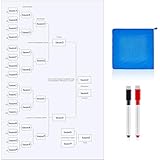
- A large, physical dry-erase golf tournament leaderboard bracket to track the overall “Red vs. Blue” team points manually for maximum crowd engagement.
- Simulator software capable of running match play formats (where players win holes, not total strokes).
- Team apparel or color-coordinated accessories (hats/polos) to clearly distinguish the two competing factions.
- An expert tournament director or dedicated host to manage the complex rotations and API leaderboard syncing across different bays.
Instructions
- Divide your group into two large teams (e.g., 8-12 players per side) and appoint a “Captain” for each to handle match pairings.
- Structure the event into three phases, mimicking the real Ryder Cup: Phase 1 is Alternate Shot (Foursomes), Phase 2 is Best Ball (Fourball), and Phase 3 is Singles Match Play.
- Configure multiplayer game modes in each bay to “Match Play,” ensuring the software tracks holes won rather than total stroke counts.
- Manage player rotation and pacing by scheduling exactly when each pairing tees off in their designated bay, keeping the event on a strict timeline.
- Facilitate prize award presentation and trophy hand-offs in the main hospitality area after the final singles matches conclude, celebrating the winning team’s total points.
Pro-Tip: When hosting a Ryder Cup style event across a multi-bay facility, utilize software that supports API leaderboard sync across multiple bays. If the software lacks this, a massive physical scoreboard in the central lounge area actually generates more brand engagement and social media photo opportunities than a digital screen.
Key Takeaways: Your Quick Guide to Golf Simulator Event Ideas
A successful golf simulator event requires careful pacing, beginner-friendly options, and commercial-grade safety precautions.
To ensure you capture the ultimate proven corporate team building ROI without getting bogged down in slow play, keep these essential golf simulator event ideas summary points close when planning:
- Match the game format to the audience skill level: Utilize beginner-friendly game modes like virtual darts or 4-person scrambles to ensure non-golfing guests remain engaged and don’t feel intimidated by realistic course simulation.
- Manage pacing with auto-putt and gimme circles: Simulator putting can cause massive bottlenecks; utilizing conceded putt gimme circle radius settings (e.g., 10 feet) is the ultimate slow player pace solution.
- Prioritize safety buffer zones above all else: Establish strict standing areas behind the hitting mats and utilize commercial-grade enclosures to ensure indoor ball ricochet prevention and spectator safety.
- Calculate your maximum throughput rate: A standard 4-person scramble takes roughly 2 to 2.5 hours on a simulator; use this baseline throughput optimization per bay hour to calculate exactly how many bays you need to rent.
- Leverage arcade modes for corporate mixers: Gamified target golf and demolition mini-games provide the best interactive event entertainment for large, casual gatherings where quick turn-taking is required.
- Utilize physical and digital leaderboards: Displaying real-time participant standings across multiple bays is the most effective way to generate competitive energy and enhance the virtual clubhouse atmosphere.
FAQs About golf simulator event ideas
Understanding venue logistics and cost planning is critical to executing flawless golf simulator event FAQs.
Whether you are coordinating indoor golf parties or dealing with common virtual golf queries, resolving these space constraints and pacing questions upfront ensures zero surprises on event day.
How much space is needed for a mobile golf simulator event?
A standard mobile golf simulator requires a minimum footprint of 12 feet wide, 15 feet deep, and 10 feet of ceiling height to accommodate full driver swings safely.
While the exact dimensions vary by manufacturer, this industry standard simulator dimension ensures adequate room for the impact enclosure, the launch monitor radar, and a safe spectator buffer zone. Outdoor pop-up rentals typically utilize inflatable enclosures that require slightly larger footprints (around 15×20 feet) and a flat, level surface to ensure accurate photometric tracking.
What games can non-golfers play on a simulator?
Non-golfers thrive on gamified target golf, virtual darts, and arcade-style demolition games where accuracy and distance are less important than simply making contact.
These beginner-friendly game modes are widely available on software platforms like Topgolf Swing Suite and E6 Connect. By swapping real courses for massive, colorful digital targets, event planners provide highly engaging interactive event entertainment that removes the intimidation factor of traditional golf.
How long does a 4 person scramble take on a golf simulator?
A standard 4-person scramble playing 9 holes on a golf simulator takes approximately 2 to 2.5 hours to complete.
This time estimate relies heavily on utilizing the software’s “auto-putt” or generous gimme features. Without auto-putt, putting mechanics can drastically slow down the throughput optimization per bay hour. Event planners should allocate roughly 30 minutes per 9 holes for a single experienced player, multiplying that baseline by group size.
How do you handle mixed skill levels at a golf simulator event?
The best way to handle mixed handicaps is to utilize a team scramble format or enable the simulator’s built-in handicap stroke allocation software.
To ensure fairness during a golf simulator corporate challenge, you can also adjust the software settings to reduce simulated lie penalties from the rough and sand for beginners. Pairing a low-handicap player with a high-handicap player in an alternate shot format also balances the playing field effectively.
Can you use a golf simulator for a charity fundraiser?
Yes, golf simulators are exceptional for charity fundraisers when utilized for high-turnover contests like a “Closest to the Pin” shootout or a “Longest Drive” challenge.
By charging a small entry fee for three swings at a virtual iconic hole (like Pebble Beach’s 7th), organizations can process dozens of donations per hour. Custom digital sponsor banners can also be projected directly onto the impact screens to sell premium advertising space.
What food and drinks work best for an indoor golf event?
Bite-sized, dry appetizers and canned or bottled beverages work best to keep the simulator bays clean and prevent greasy hands from ruining the golf grips.
When planning food for a commercial golf lounge mixer, avoid messy items like wings or heavy sauces. Focus on premium sliders, skewers, and charcuterie that allow guests to eat easily while standing in the waiting area, maintaining the fast-paced flow of the virtual golf gathering.
What software is best for hosting simulator tournaments?
GSPro and E6 Connect are widely considered the best software platforms for hosting structured tournaments due to their robust multiplayer modes and API leaderboard syncing.
TrackMan Virtual Golf and Foresight’s FSX software also offer incredible commercial grade launch monitor precision and built-in game modes specifically designed for league play and long-drive contests. The right choice depends heavily on whether your venue uses radar-based or photometric tracking hardware.
How do you organize a golf simulator league night?
Organize a league by establishing a fixed 9-hole schedule, locking in a consistent weekly time slot, and utilizing a reliable format like 2-person best ball or individual stroke play with USGA handicap integration.
Successful virtual golf leagues require strict shot clock pacing enforcement to ensure all matches finish within the rented time blocks. Utilizing a centralized digital leaderboard app allows players across different simulator bays to track their season-long standings seamlessly.
Is a golf simulator event suitable for beginners?
Absolutely; a golf simulator event is arguably more suitable for beginners than a real golf course because it removes the pressure of losing balls, holding up groups, or dealing with bad weather.
By utilizing gamified arcade modes, providing high-lofted clubs, and utilizing hitting mats that reduce the impact of fat shots, indoor events create a relaxed, low-pressure environment perfect for corporate team building and social mixers.
Hosts can monetize events by charging bay rental fees by the hour, selling entry tickets for specific skills challenges, or securing corporate sponsorships for in-game digital banner placements.
For bars or venues, the primary ROI often comes from the increased food and beverage hospitality sales generated by keeping guests actively engaged in the venue for 3 to 4 hours. Offering premium club rentals or VIP coaching clinics adds further revenue streams.
Final Thoughts on Golf Simulator Event Ideas
Flawless indoor execution relies directly on matching game formats with your guests’ abilities while leveraging commercial-grade software to force structured pacing.
Hosting a flawless indoor golf event comes down to three crucial elements: selecting the right game format for your audience, managing player pacing, and leveraging the full capabilities of your simulator software. Whether you are organizing a high-stakes virtual Ryder Cup for avid golfers or a gamified virtual darts mixer for complete beginners, golf simulator event ideas offer unparalleled versatility for modern entertainment.
By utilizing the specific blueprints outlined above—from the 4-person scramble to the rapid-fire closest-to-the-pin shootout—you can eliminate the guesswork and ensure your guests experience seamless, highly engaging interactive event entertainment. Remember to prioritize safety buffer zones, rely on auto-putt features to maximize throughput, and lean on the expertise of your venue’s certified golf simulator technician to keep the technology running flawlessly.
Virtual golf has completely transformed corporate hospitality ideas and private party planning, providing a scalable, all-weather solution that brings people together. You now have the exact tournament structures and arcade-style ideas needed to execute an unforgettable event in October 2026.
Which format are you most excited to try at your next event? Are you leaning toward a competitive Longest Drive challenge, or a relaxed, beginner-friendly target shootout? Let us know in the comments below!
Last update on 2026-10-27 / Affiliate links / Images from Amazon Product Advertising API
