

As an Amazon Associate GolferHive.com earns from qualifying purchases.
7 Expert Commercial Golf Simulator Room Designs
Dreaming of transforming your passion for golf into a thriving business? Many aspiring entrepreneurs struggle to design a commercial golf simulator room that truly stands out and generates profit. The challenge lies in blending cutting-edge technology with an inviting atmosphere.
Designing a commercial golf simulator room involves optimizing space, selecting commercial-grade equipment, and creating an immersive, revenue-generating experience. Key considerations include layout for customer flow, soundproofing, advanced technology integration, and durable materials, all tailored for business profitability.
Drawing from comprehensive analysis of current data and proven methodologies, this guide unpacks the essential strategies. You’ll discover expert-vetted commercial golf simulator room design concepts to maximize your business’s potential and create unforgettable experiences.
Contents
show
7 Expert Commercial Golf Simulator Room Designs to Maximize Profit
Maximizing profit from a commercial golf simulator business begins with a strategic and well-executed design. These expert-approved commercial golf simulator room designs cater to diverse business models, ensuring that whether you’re building a cozy lounge or a high-performance training studio, you have a clear blueprint for success. Each design focuses on optimizing space, selecting commercial-grade equipment, and enhancing the customer experience to deliver a strong return on investment in 2025.
1. The Immersive Golf Lounge Experience Design
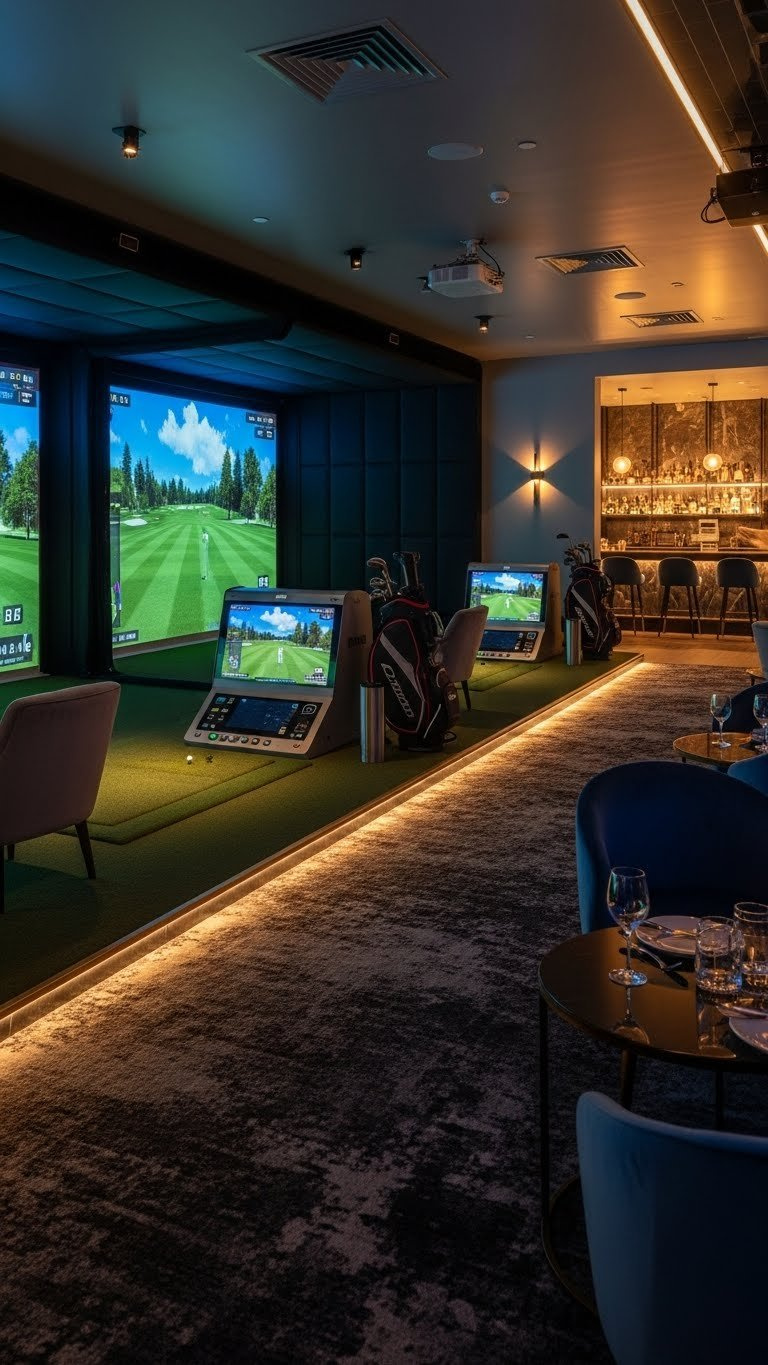
Pin this ultimate golf lounge design to your ‘Dream Business Setup’ board!
The Immersive Golf Lounge Experience design prioritizes comfort, engagement, and a social atmosphere, making it ideal for entertainment venues, private clubs, or upscale businesses. This commercial golf simulator room design creates a high-end environment where guests can relax, socialize, and enjoy a premium virtual golf experience. Key elements focus on integrating golf simulator solutions with sophisticated lounge amenities and advanced commercial AV systems.
Key Design Elements & Recommended Products
- High-Definition Projection System: Commercial-grade 4K projector for crisp, vibrant visuals.
- Durable Impact Screen: Seamless, low-rebound screen for optimal ball feedback and longevity.
- Comfortable Lounge Seating: Premium leather or fabric sofas and armchairs, strategically placed.
- Integrated Sound System: High-fidelity speakers and subwoofer for immersive audio.
- Smart Lighting Control: Dimmable LED lighting with color-changing capabilities to set mood.
- Soundproofing Materials: Acoustic wall panels and ceiling tiles for noise reduction.
- Commercial Bar Integration: Compact, stylish bar setup with mini-fridge and glassware storage.
Implementation & Setup Steps
- Assess Space & Layout:
Plan golf simulator roomdimensions to accommodate simulator bay, seating, and bar area, ensuring safety zones. - Install Structural Supports: Mount projector, screen frame, and speakers securely into ceiling and walls.
- Optimize Acoustics: Apply sound-absorbing
acoustic treatment for golf simson walls and ceilings to minimize echo and external noise. - Integrate AV Systems: Professionally
integrate golf simulator technologywith projection, sound, and lighting controls for a seamless user experience. - Furnish & Decorate: Arrange lounge seating, tables, and bar elements to create an inviting atmosphere, emphasizing comfort and traffic flow.
- Program Smart Lighting: Configure lighting scenes for different moods, from vibrant play to relaxed lounging.
- Final Calibration & Testing: Calibrate all simulator components, sound, and visuals to
ensure accurate swing data golf simand animmersive golf simulator experience.
Pro-Tip: “Investing in advanced
acoustical engineering golf simulatorearly on prevents costly noise complaints and significantly elevates theimmersive golf simulator experiencefor commercial clients. Don’t underestimate its impact on guest comfort and play quality.”

2. The High-Performance Golf Training Studio Design
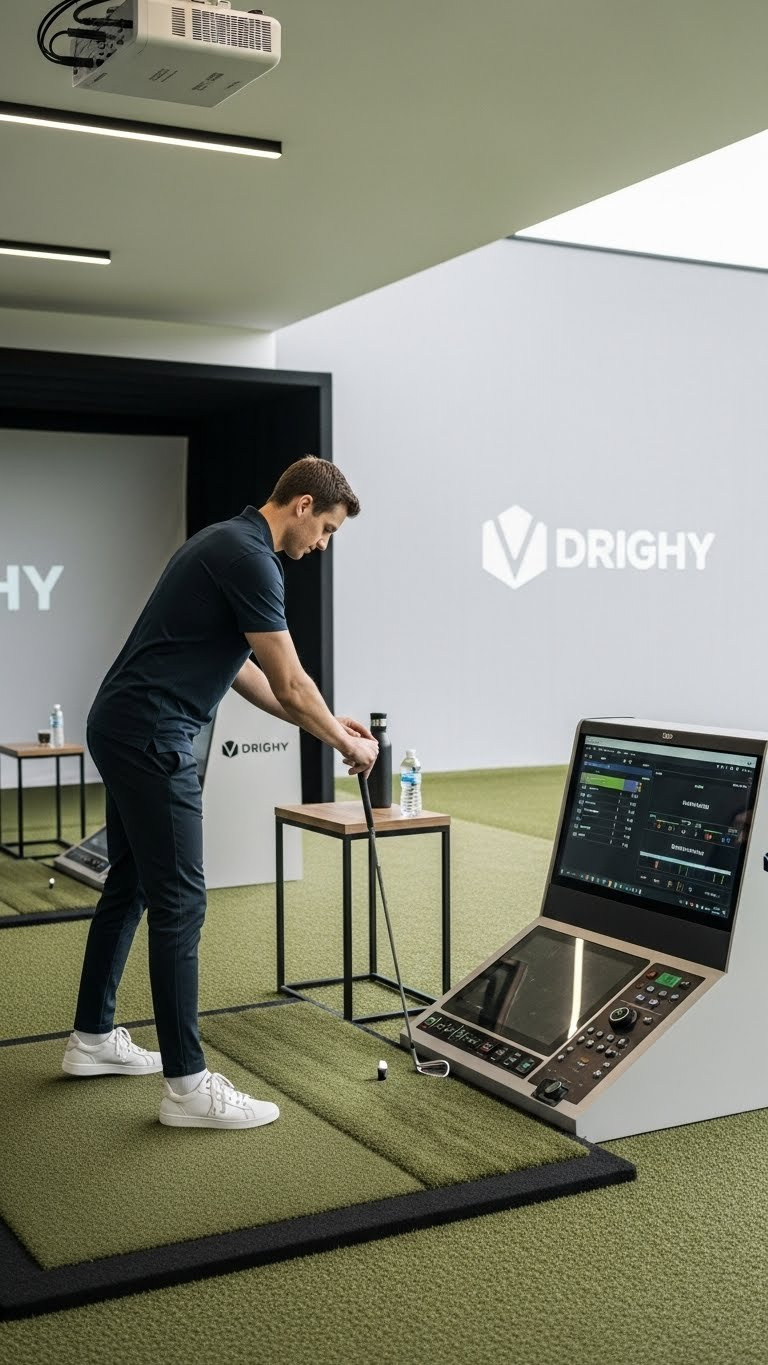
Unlock your clients’ potential with this pro training studio design! Pin it now!
This design is tailored for golf professionals, academies, and fitness centers aiming to offer serious golfers precise data and dedicated practice. The high-performance golf training studio prioritizes accuracy, analytical tools, and a distraction-free environment. This professional golf simulator room emphasizes advanced sensor technology and AI-driven swing analysis to deliver unparalleled data for improvement.
Key Design Elements & Recommended Products
- High-Precision Launch Monitor: Top-tier
golf launch monitors(e.g., Trackman, GCQuad) for accurate data capture. - Performance Impact Screen: Durable, high-tension screen optimized for clear projection and longevity.
- Specialized Golf Mat: High-density, realistic feel golf mat to simulate various lies.
- Dedicated Analysis Software:
Golf simulator softwarewithAI-driven swing analysis commercialcapabilities. - Large Data Display: Secondary monitor or screen for real-time swing metrics and video playback.
- Ergonomic Coaching Station: Streamlined desk and chair for instructor, with easy access to controls.
- Minimalist Aesthetic: Clean lines, neutral colors to minimize distractions and maximize focus.
Implementation & Setup Steps
- Select Premium Equipment: Choose
commercial grade golf simulatorsandhigh-speed camera systems golf simulatorthat prioritize accuracy and data. - Calibrate Launch Monitor: Install and precisely calibrate the
golf launch monitorsaccording to manufacturer specifications forensuring accurate swing data golf sim. - Optimize Lighting for Cameras: Ensure even, non-glare lighting that is compatible with high-speed cameras for clear swing capture.
- Install Realistic Turf: Lay down high-quality synthetic turf that provides a consistent and realistic hitting surface.
- Integrate Software & Displays: Connect the simulator software to the launch monitor and all display screens for seamless data flow.
- Design for Focus:
Optimize golf simulator spacewith sound dampening and minimal decor to create a distraction-freeprofessional golf simulator room. - Conduct Rigorous Testing: Perform extensive testing of all systems with various golfers to guarantee reliability and
performance optimized golf simulator.
Pro-Tip: “For a high-performance training studio,
biometric feedback golf simulatorintegration andAI-driven swing analysis commercialare not just buzzwords; they are investments that distinguish your offering and attract serious golfers. Focus on actionable data.”

3. The Multi-Bay Entertainment Venue Layout
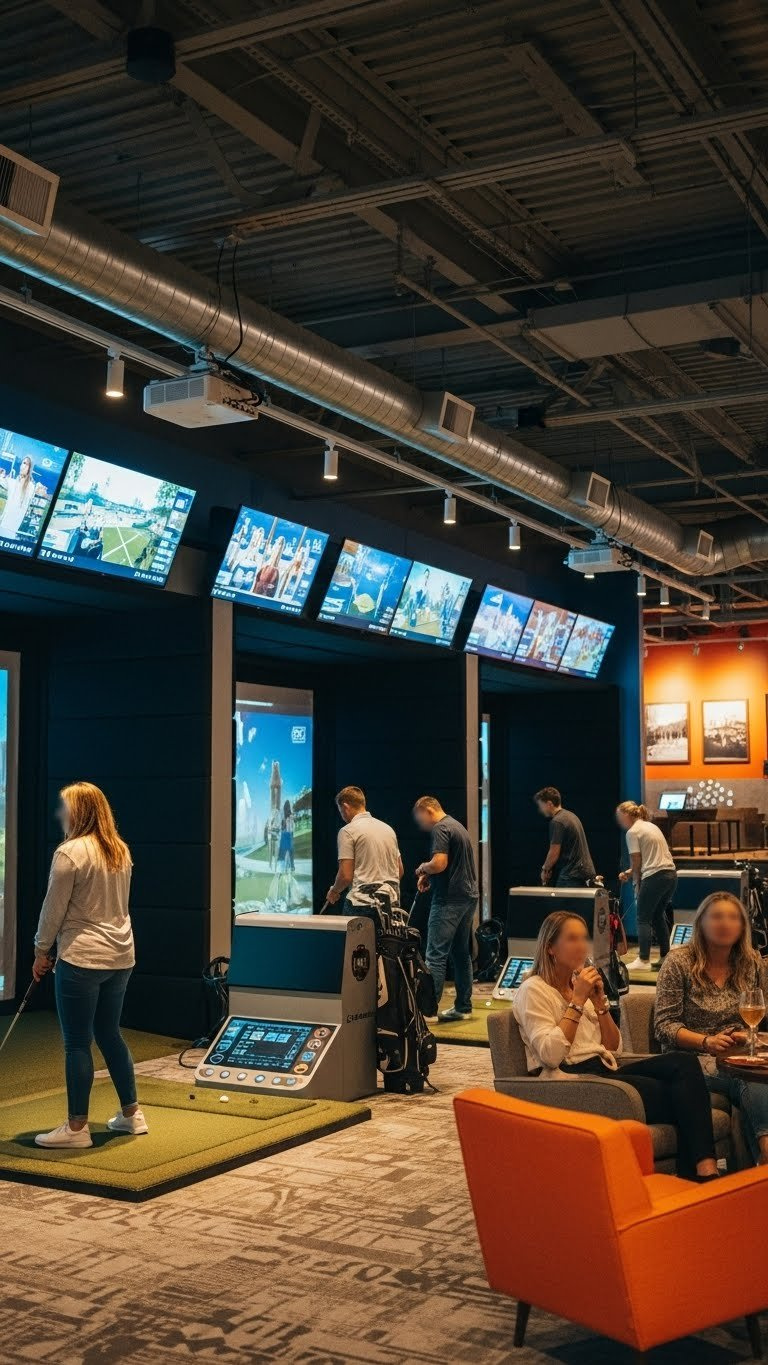
Planning a party hub? Pin this multi-bay design for ultimate fun!
A multi-bay golf simulator design is perfect for businesses focused on high throughput and group entertainment, such as sports bars, family entertainment centers, or dedicated indoor golf facilities. This entertainment center design supports multiple players simultaneously, focusing on robust infrastructure and efficient customer flow. It’s about scalability and maximizing engagement for a large volume of patrons.
Key Design Elements & Recommended Products
- Modular Golf Bay Enclosures:
Durable golf simulator roomenclosures for consistent performance and safety across multiple bays. - High-Traffic Impact Screens: Reinforced, tear-resistant screens capable of withstanding heavy usage.
- Queue Management System: Digital booking and waitlist software to manage customer flow efficiently.
- Uniform Simulator Technology: Standardized
golf simulator solutionacross all bays for consistent experience. - Comfortable Standing Mats: Anti-fatigue mats for players spending extended periods swinging.
- Ambient Lighting per Bay: Independent lighting control for each bay to personalize the experience.
- Centralized POS System:
Integrated POS systems golf simfor streamlined check-ins and food/beverage orders.
Implementation & Setup Steps
- Strategic Space Planning:
Plan golf simulator roomlayouts to maximize the number of bays while maintaining adequate swing space and safety clearances between bays. - Install Structural Framing: Erect
modular golf simulator bay enclosureswith reinforced framing forrobust golf simulator roomconstruction. - Standardize Equipment:
Configure golf simulator systemcomponents (projectors, launch monitors, software) to be identical across all bays for easy maintenance and consistent user experience. - Optimize Workflow: Design check-in, waiting, and play areas to
improve customer flow golf simulatorand minimize bottlenecks. - Robust Networking: Implement a
network infrastructure for multi-bay simscapable of handling multiple simulators and integrated systems simultaneously. - Sound Isolation: Install sound-dampening materials between bays to prevent sound bleed and
optimize golf simulator acoustics. - Conduct Capacity Testing: Stress-test the system with simulated high usage to ensure stability and efficiency, vital for
golf simulator facility design.
Pro-Tip: “For multi-bay venues, a
network infrastructure for multi-bay simsthat supports seamless integration of booking, POS, and simulator data is paramount. Avoid piecemeal solutions; invest in a unified system for operational efficiency andcommercial golf simulator data analytics.”

4. The Compact Urban Golf Bay Solution
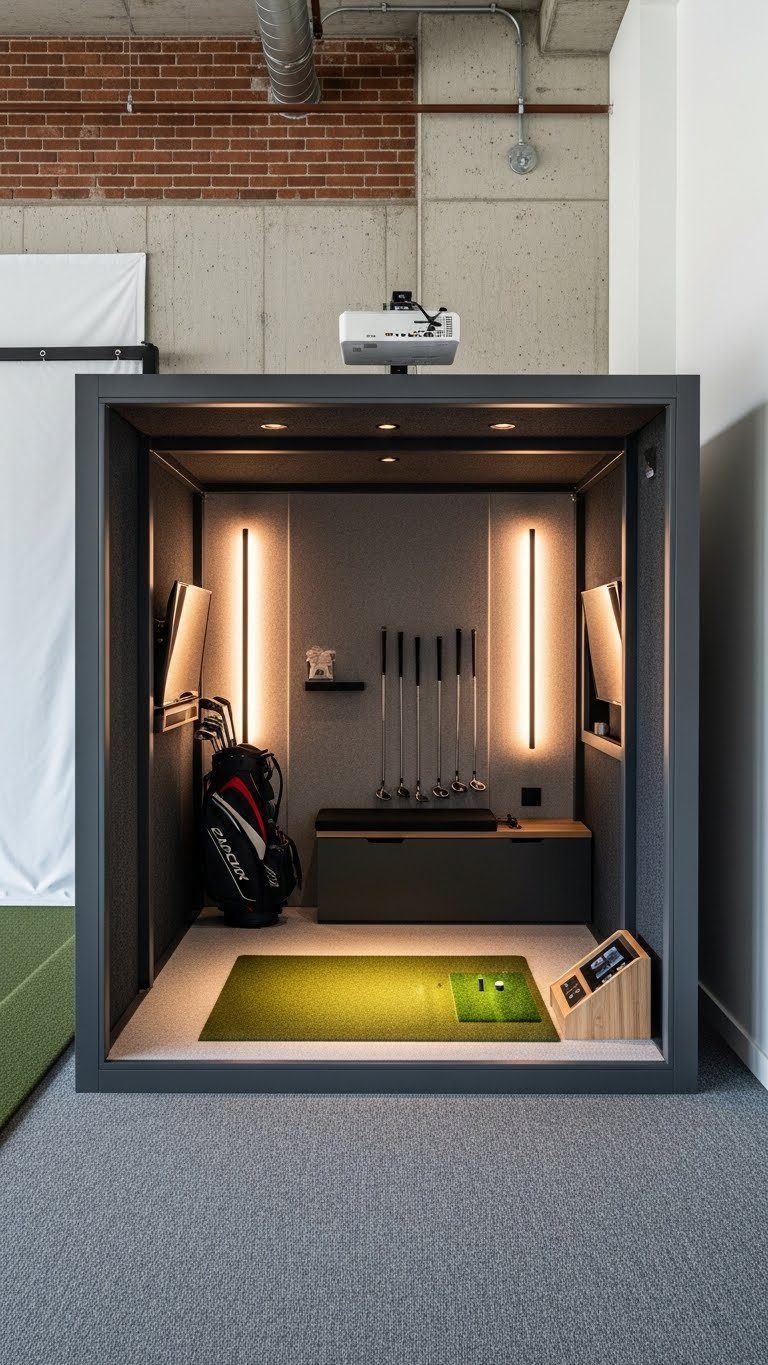
Small space, big swings! Pin this compact urban golf bay idea!
For urban environments or businesses with limited square footage, the compact urban golf bay solution maximizes functionality in a small footprint. This small business golf simulator room design ingeniously overcomes space constraints, proving that a high-quality golf experience doesn’t require vast expanses. The focus is on space-efficient simulator layouts and smart product choices.
Key Design Elements & Recommended Products
- Short-Throw Projector: Ultra short-throw
golf simulator projectorto minimize space requirements. - Foldable/Retractable Screen: Space-saving
golf simulator screenthat can be tucked away when not in use. - Integrated Storage Solutions: Wall-mounted racks, recessed shelving, and hidden compartments for clubs and accessories.
- Compact Launch Monitor: Overhead
golf launch monitors(e.g., Uneekor) that eliminate floor footprint. - Minimalist Furniture: Small, multi-functional seating or benches that can be moved or stored easily.
- Bright, Open Aesthetic: Light paint colors, mirrors, and strategic lighting to make the space feel larger.
- Sound-Dampening Panels: Thin, effective
acoustic treatment for golf simsdesigned for small spaces.
Implementation & Setup Steps
- Precise Measurement:
Plan golf simulator roomby meticulously measuring the available space, including ceiling height, to select appropriategolf simulator equipment. - Choose Overhead Launch Monitor:
Install commercial golf simulatorsystem with an overhead launch monitor to free up floor space. - Mount Projector & Screen: Securely mount a short-throw projector and either a fixed or retractable screen to
optimize golf simulator space. - Incorporate Vertical Storage: Utilize vertical wall space with custom shelving or racks for clubs and gear to address
golf simulator space constraints. - Sound Management: Apply discreet
soundproofing in a commercial golf simulatorto ensure a quiet environment without consuming much space. - Smart Flooring: Install
durable golf simulator roomflooring that is both functional and aesthetically pleasing, such as low-pile commercial carpet. - Regular Maintenance Schedule: Implement a
maintain golf simulator equipmentroutine to ensure longevity of components in a compact setting.
Pro-Tip: “When
designing an interactive golf simulator loungein a compact urban space, the choice of an overheadgolf launch monitorslike Uneekor or Foresight is often non-negotiable, providing highly accurate data without sacrificing crucial floor space. Every inch counts.”
5. The Hybrid Retail & Fitting Center Design
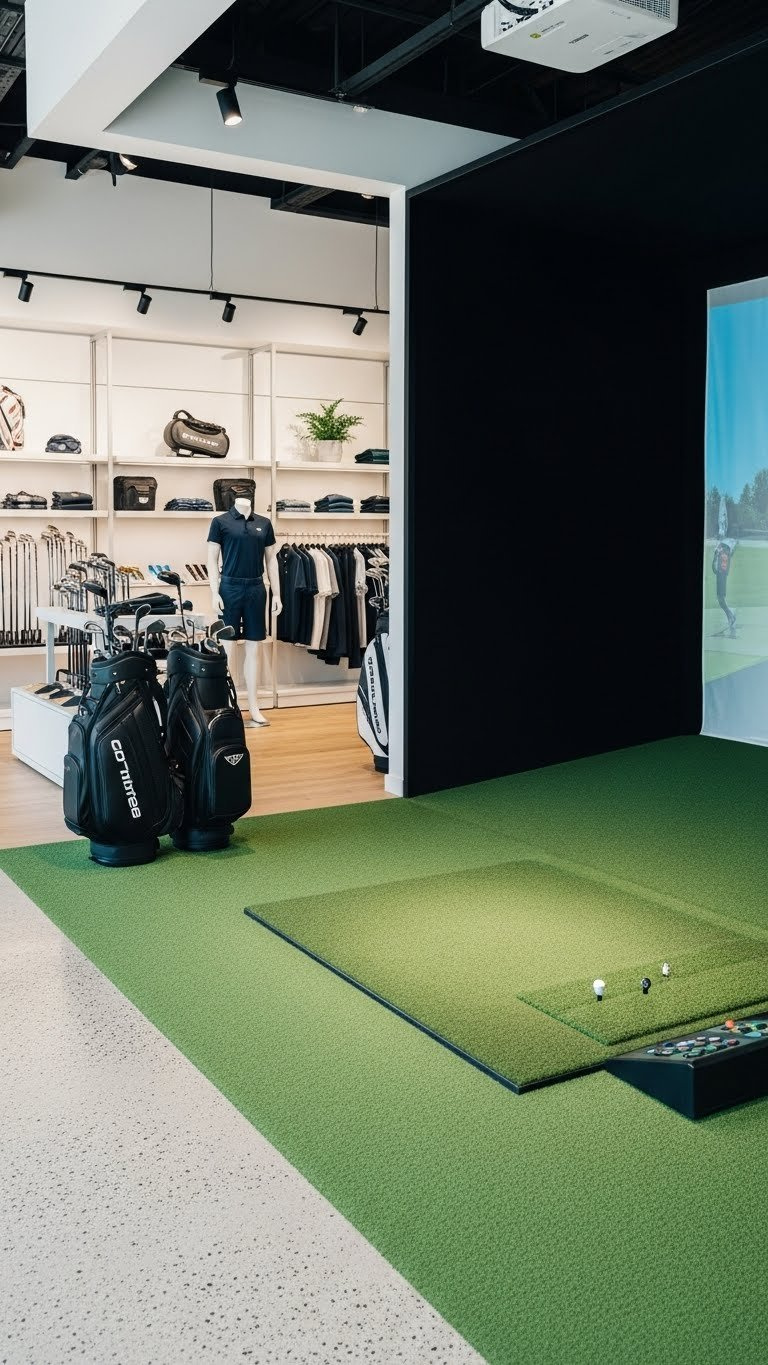
Merge retail and play! Pin this innovative golf business design!
This innovative design integrates a commercial golf simulator directly into a retail space, offering customers a unique “try-before-you-buy” experience for golf equipment and apparel. The hybrid retail space combines the functionality of a golf simulator with dynamic product displays, enhancing customer engagement and driving sales. It’s a strategic approach to golf simulator marketing within a physical store.
Key Design Elements & Recommended Products
- High-Accuracy Golf Simulator:
Commercial-grade golf simulatorsspecifically suited for precise club fitting and swing analysis. - Modular Retail Displays: Flexible
golf retail display fixturesthat can be reconfigured around the simulator bay. - Interactive Product Screens: Digital touchscreens near the simulator displaying club specs, apparel options, and sales promotions.
- Quality Turf Landing Area: Realistic
golf studio turfthat extends from the simulator to the adjacent retail area. - Adjustable Lighting: Track lighting and spotlights to highlight both products and the simulator bay.
- Sound Minimization: Strategic use of
acoustic treatment for golf simsto keep simulator noise from overwhelming the retail experience. - Dedicated Fitting Area: Small, well-lit space for club adjustments and customer consultations.
Implementation & Setup Steps
- Zoning for Flow:
Plan golf simulator roomby creating distinct yet cohesive zones for the simulator and retail areas, ensuring smoothcustomer flow golf simulator. - Install Fitting Simulator:
Install commercial golf simulatorwith a high-accuracy launch monitor and software for detailed club fitting. - Integrate Product Displays: Strategically place
modular retail displaysthat showcase clubs, balls, and apparel directly adjacent to the simulator. - Seamless Transition: Ensure
golf simulator screenand turf transition naturally into the retail flooring to create an open feel. - Leverage Digital Signage: Deploy
interactive golf simulator designwith digital screens to promote products and services within the simulator vicinity. - Acoustic Management: Use
sound managementsolutions to contain simulator noise, maintaining a pleasant retail shopping atmosphere. - Cross-Promote Services: Train staff to actively cross-promote fitting services and retail products, maximizing conversion opportunities within the
golf simulator business.
Pro-Tip: “For a hybrid retail space, ensuring the
golf simulator for commercial useprovides highly accurate fitting data is critical. Customers are more likely to purchase a club if they’ve seen tangible performance improvements throughprofessional golf analysis.”

6. The Events-Focused Golf Arena Concept
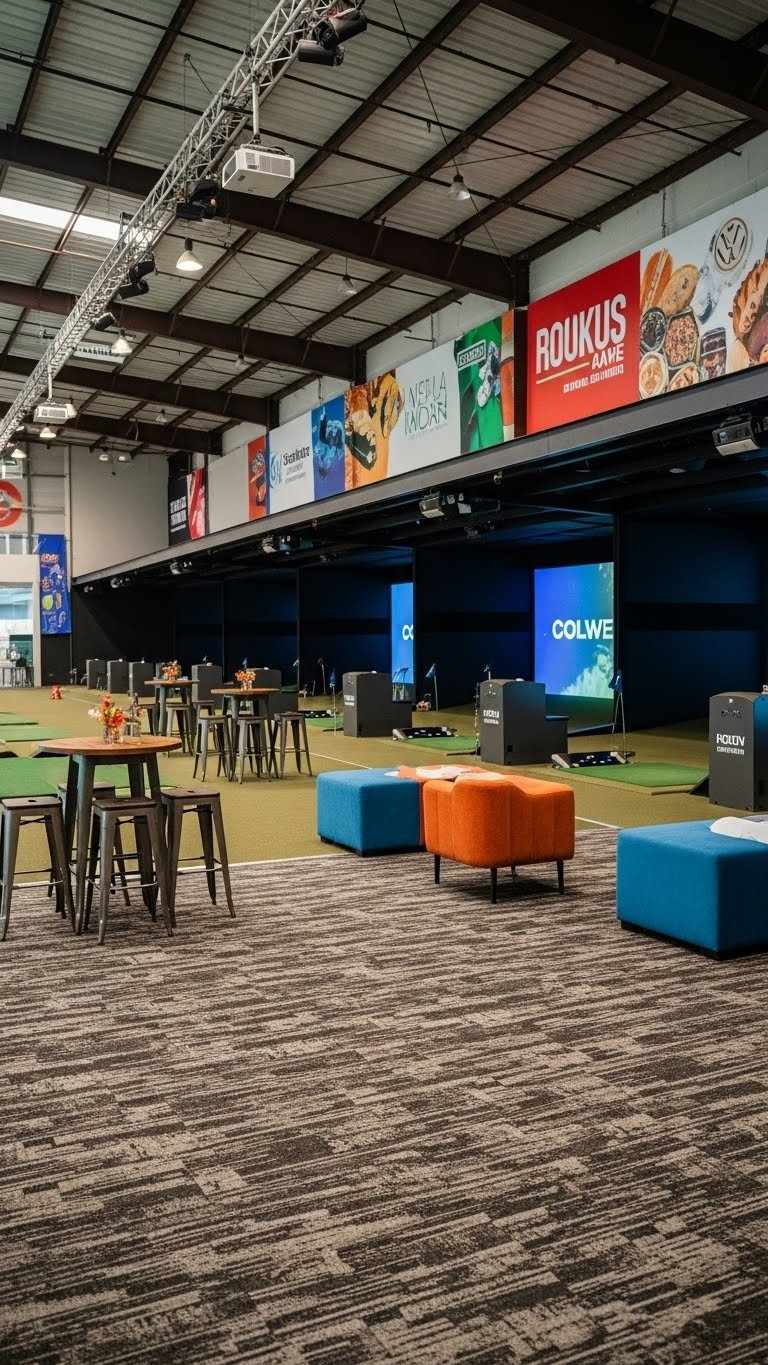
Host unforgettable events! Pin this golf arena design for group fun!
Designed for versatility and high-capacity events, this concept transforms a commercial golf simulator space into a dynamic arena for corporate gatherings, parties, and tournaments. The events-focused golf arena is a golf entertainment complex that excels at supporting multiple players and enhancing customer engagement through adaptable spaces and robust AV systems. Its primary goal is to accommodate varied event requirements seamlessly.
Key Design Elements & Recommended Products
- Flexible Bay Partitions: Ret retractable or movable walls to transform individual bays into a larger open space.
- Event-Specific Software:
Golf simulator softwarewithmultiplayer gamesand tournament modes. - Robust AV & Presentation System: High-quality projectors, large screens, and sound system for announcements and background music.
- Adaptable Seating & Tables: Modular furniture that can be easily rearranged for different event layouts.
- Ambient & Mood Lighting: Programmable LED lighting to create diverse atmospheres for various events.
- Sound Masking System:
Sound masking golf simulator designto manage ambient noise in open-plan event spaces. - Dedicated Catering Area: Small, functional space for food and beverage staging during events.
Implementation & Setup Steps
- Design for Flexibility:
Plan golf simulator roomwith adaptable layouts usingmodular golf bay enclosuresor retractable partitions for anentertainment complex. - Install Versatile AV:
Integrate golf simulator technologywith a comprehensive AV system capable of handling presentations, music, and multi-screen content. - Implement Dynamic Lighting: Set up programmable
architectural lighting design golf simto create different moods and highlight specific areas for events. - Source Adaptable Furniture: Acquire
modular event furniture for entertainment venuesthat can be easily moved and reconfigured for various group sizes and event types. - Train Staff for Events: Develop comprehensive training for staff on
operating golf simulator businessevent features, software, and customer service. - Optimize Network for Load: Ensure robust
network infrastructure for multi-bay simsto support high concurrent usage during events. - Marketing & Booking System: Implement a dedicated
golf simulator marketingstrategy and booking system for corporate and private events.
Pro-Tip: “For an events-focused
golf simulator facility design,sound masking golf simulator designis crucial to manage acoustic comfort in a dynamic open-plan space. It elevates the overall experience by subtly reducing distracting background noise without sacrificing atmosphere.”

7. The Exclusive Luxury Golf Suite Concept
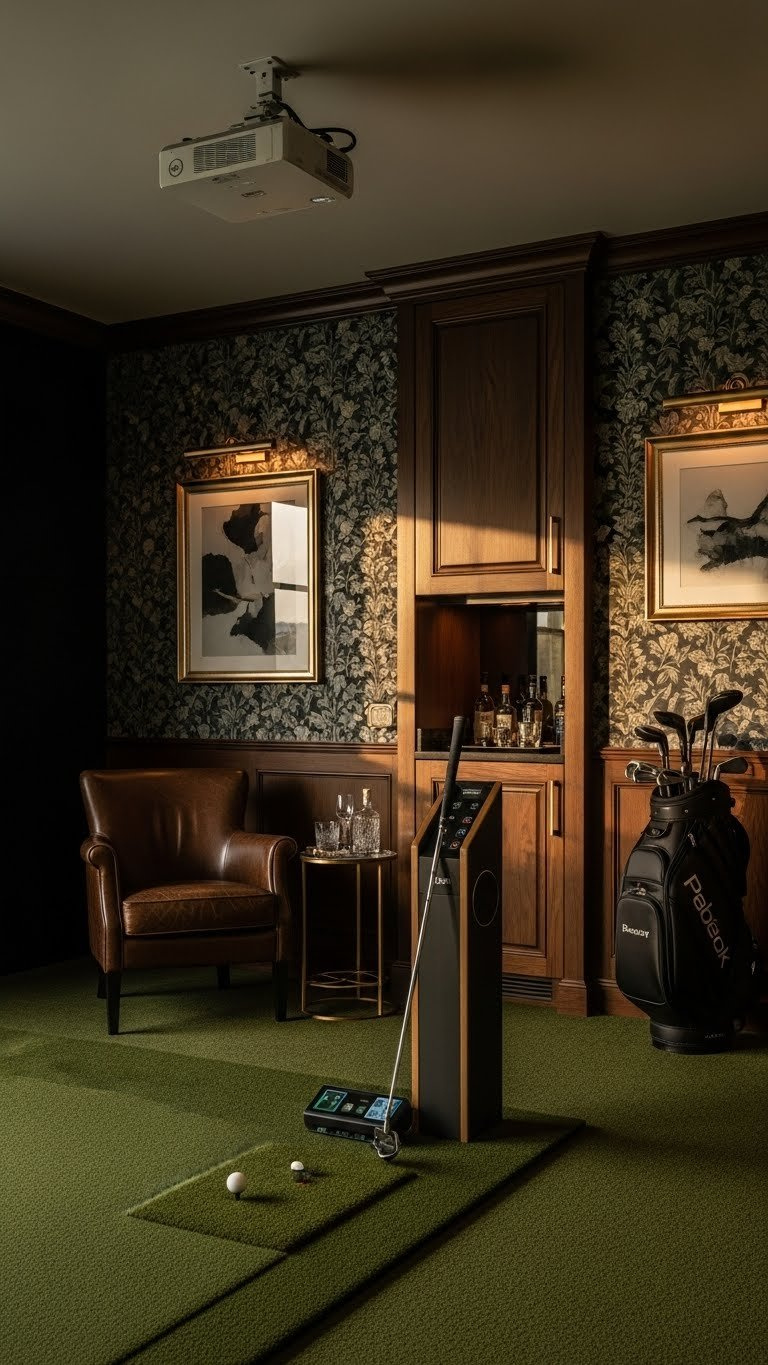
Indulge in luxury golf. Pin this exquisite private suite design!
Targeting an elite clientele, this design provides an unparalleled, private, and highly customized golf simulation experience. The exclusive luxury golf suite concept defines the premium commercial golf simulator market, offering bespoke commercial golf simulator room design that reflects sophistication and exclusivity. Every element is selected and crafted by experts to create an opulent retreat.
Key Design Elements & Recommended Products
- State-of-the-Art Simulator System: Top-tier
commercial-grade golf simulators(e.g., Trackman, Foresight) with all advanced features. - Custom-Built Enclosure:
Bespoke commercial golf simulator room designwith premium wood paneling or custom fabric finishes. - Designer Furnishings: High-quality leather armchairs, custom cabinetry, and ambient lighting fixtures.
- Integrated Minibar/Lounge: Discreet minibar, wine cooler, and coffee station within the suite.
- Advanced Acoustic Treatment: Superior
acoustical engineering golf simulatorwith hidden soundproofing for ultimate privacy. - Luxury Flooring: Plush, deep-pile carpet or hardwood with area rugs for sound absorption and aesthetics.
- Personalized Climate Control: Dedicated HVAC system for individualized temperature and humidity settings.
Implementation & Setup Steps
- Concept & Consultation: Begin with a
custom golf simulator designconsultation to understand the client’s vision forhigh-end golf simulator design. - Source Premium Materials: Select
luxury flooring, wall coverings (e.g., wood paneling, designer wallpaper), and fixtures that align with a high-end aesthetic. - Integrate Smart Home Systems:
Integrate golf simulator technologywithenvironmental control golf simulatorand smart automation for lighting, sound, and climate. - Bespoke Furniture & Cabinetry: Commission
bespoke golf simulator furnitureand built-in cabinetry for a seamless and luxurious feel. - Install Advanced Acoustics: Apply
advanced soundproofing in a commercial golf simulatorto ensure maximum privacy and optimal audio quality. - White-Glove Installation:
Install commercial golf simulatorcomponents with meticulous attention to detail,designed by expertsand executed flawlessly. - Personalized Customization: Offer extensive customization options for software interfaces, virtual courses, and personalized branding within the suite.
Pro-Tip: “For an exclusive
luxury golf suite concept, the integration ofbespoke golf simulator software developmentandcustom UI/UX for golf simulator loungesallows for a truly personalized brand experience, setting your offering apart in the premium market.”

FAQs About Commercial Golf Simulator Room Design
What is the ideal ceiling height for a commercial golf simulator?
The ideal ceiling height for a commercial golf simulator is typically 10 to 12 feet (3 to 3.6 meters) to ensure sufficient room for uninhibited swing mechanics and safe ball flight. While some systems can accommodate lower ceilings, optimizing for this range minimizes the risk of club strikes and enhances player comfort, especially for taller individuals or those with steeper swing planes, crucial for a professional golf simulator room.
How much space is needed for a commercial golf simulator?
A minimum space of approximately 10 feet wide, 15 feet deep, and 9 feet high is generally required for a single commercial golf simulator bay. However, to provide a truly immersive golf simulator experience with comfortable lounge areas, a dedicated bar, or additional amenities, a larger footprint is highly recommended, influencing your overall golf simulator room design.
What are the best golf simulators for business use?
The best golf simulators for business use often include high-precision launch monitors like Trackman, Foresight Sports (GCQuad/Hawk), or Uneekor, known for their accuracy, durability, and data-driven design approach. These systems offer robust software, diverse course options, and advanced sensor technology golf sim essential for both entertainment and professional analysis, justifying the investment for a commercial golf simulator.
How do I ensure soundproofing in a commercial golf simulator room?
To ensure soundproofing in a commercial golf simulator, utilize acoustic wall panels, ceiling tiles, sound-absorbing curtains, and possibly mass-loaded vinyl within wall cavities. Focus on isolating the simulator bay from adjacent spaces to prevent noise bleed and enhance the immersive golf simulator experience for players and surrounding areas, a key aspect of optimal golf simulator setup.
What should be included in a commercial golf simulator setup to attract customers?
A compelling commercial golf simulator setup should include a high-definition projector and impact screen, comfortable lounge seating, an integrated sound system, and a diverse range of virtual golf courses and games. Additionally, elements like a functional bar, smart lighting, and interactive golf simulator design features significantly enhance customer engagement and provide a superior golf entertainment venue design.
How to choose a commercial golf simulator system for a multi-bay facility?
Choosing a commercial golf simulator system for a multi-bay facility involves prioritizing consistency, durability, and scalable network infrastructure for multi-bay sims. Opt for a standardized golf simulator solution across all bays from leading commercial golf simulator providers that offers robust performance, ease of maintenance, and compatibility with centralized booking and POS systems for efficient golf simulator business operations.
What are common problems in commercial golf simulator design and how to avoid them?
Common problems in commercial golf simulator design include inadequate space planning, poor acoustics, insufficient safety measures, and outdated technology. Avoid these by engaging expert golf simulator design consultants, investing in acoustical engineering golf simulator, implementing compliance with safety regulations from the outset, and planning for future-proof golf simulator room technology upgrades.
Can a small space be effectively used for a commercial golf simulator?
Yes, a small commercial golf simulator design can be highly effective by leveraging space-efficient simulator layout strategies such as overhead launch monitors, short-throw projectors, and integrated storage solutions. While compromising on extensive lounge areas, a well-designed compact bay can still deliver a high-quality professional golf simulator room experience, optimizing small business golf simulator room design.
What permits are needed for a commercial golf simulator installation?
Permits needed for commercial golf simulator installation can vary by locality but typically include building permits for structural changes, electrical permits for wiring, and potentially commercial occupancy permits. It’s crucial to consult local zoning laws and building codes early in the commercial golf simulator project management phase to ensure compliance with safety regulations and smooth golf simulator construction.
What is the average ROI for a golf simulator business?
The average ROI for a golf simulator business can range significantly, typically between 18-36 months, depending on location, operational costs, pricing strategy, and golf simulator marketing effectiveness. Factors like maximizing ROI golf simulator often involve optimizing bay utilization, diversifying revenue streams (e.g., lessons, F&B, events), and providing an immersive golf simulator experience that drives repeat business.
Key Takeaways
Mastering commercial golf simulator room design is more than just setting up equipment; it’s about engineering an immersive golf simulator experience that drives revenue and builds a loyal customer base. By carefully considering layout, integrating commercial-grade golf simulators, and focusing on essential elements like acoustics and lighting, you can transform a concept into a highly profitable golf simulator business. The 7 Expert Commercial Golf Simulator Room Designs presented here offer a blueprint for success, whether you’re envisioning a cozy lounge, a high-tech training studio, or a bustling entertainment venue.
Remember that expert golf simulator design is a strategic investment in your business’s future. Prioritizing space planning golf simulator, optimizing golf simulator space for customer flow, and leveraging advanced sensor technology golf sim are critical steps. By implementing these proven golf simulator solutions and adhering to best practices golf simulator design, you’re not just building a room; you’re creating a destination that caters to golf enthusiasts and casual players alike. What design elements are most critical to your commercial golf simulator vision?
Last update on 2025-12-16 / Affiliate links / Images from Amazon Product Advertising API
